

Meeting rooms have a distinctive responsibility as they are the venues for critical decisions, private discussions, and hybrid collaborations, often under tight deadlines. In my experience, the most successful board rooms effectively incorporate acoustic treatment, adaptable lighting, user-friendly technology, and ergonomic seating arranged in a layout that enhances sightlines and leadership presence while promoting inclusivity. Tools like Homestyler can assist in visualizing these layouts.
Analyzing performance metrics aids in optimizing these design choices. The WELL v2 Light guidelines provide insights into light levels that promote alertness without leading to visual strain, suggesting ambient illumination around 300 to 500 lux for general activities and tunable correlated color temperatures to enhance circadian rhythms. Steelcase's studies reveal that 72% of employees cite inadequate support for hybrid collaboration as a significant issue, emphasizing the need for layouts that are conducive to camera use, equitable audio capabilities, and clear visibility for remote attendees.
Sound quality can greatly influence a board room's effectiveness. Research by Steelcase indicates that noise and distractions rank among the foremost complaints in knowledge work environments, and boardrooms are certainly affected. Aiming for an RT60 of 0.4 to 0.6 seconds helps reduce speech distortion while nurturing a sense of closeness; this typically requires a combination of high-NRC wall panels, sound-absorbing materials behind the primary camera wall, and a ceiling treatment that balances diffusion and absorption to maintain vocal clarity without introducing flutter echo.
Establishing Design Objectives and Spatial Ratios
I initiate design with clear spatial ratios; for instance, a length-to-width proportion of 3:2 often enhances camera angles and preserves stable sightlines. Allow 900 to 1200 mm for circulation around the table to ensure unobstructed access, while keeping a minimum of 1,200 mm clearance for doors to promote security and accessibility. Leadership tables are typically most effective at heights of 760 to 760 mm, featuring rounded edges to prevent wrist strain, with a central slot for discreetly routing power and data.
Illumination Strategy: Ensuring Precision and Presence
Lighting should convey authority while promoting visual comfort. Combine uniform ambient lighting of 300 to 500 lux with a vertical light plan that keeps faces visible for camera use—aim for 150 to 250 lux on vertical surfaces at eye level. Utilize high CRI (90+) fixtures for true skin tones and accurate representation of materials. To minimize glare on screens, position lights outside the direct line of sight and adjust angles to mitigate reflective glare. The WELL v2 Light guidance also supports tunable white lighting that shifts from 3500K to 4000K for focused work and 3000K for evening discussions. Layer different lighting scenes: a Presentation mode with lower ambient lighting, a balanced Discussion mode, and a Remote Hybrid setting to optimize facial lighting while controlling backlight.
Acoustic Comfort and Clarity of Speech
Aim for NC levels between 30 and 35 to manage background noise and ensure ample coverage of table microphones. A variety of materials should be used to prevent dead zones: cushioning fabrics, micro-perforated wood for warmth, and strategically placed carpet tiles under the table to minimize noise from movement. An absorptive ceiling cloud positioned above the table can help control early reflections, while lateral diffusers enhance clarity. Doors should be solid-core with perimeter seals, and glazing should be avoided at main entrances or utilize acoustic glass if necessary.
Ergonomics and Comfort for Extended Sessions
Given that board meetings can extend for prolonged periods, comfort is crucial for minimizing decision fatigue. Chairs should feature adjustable lumbar support, seat depth, and tilt tension to alleviate strain. Aim for seat height around 430 to 510 mm with arm rests that clear the table edge to prevent interference. Desks need to provide 650 to 700 mm clearance for knees, and cable trays should not impede legroom. Line-of-sight is essential: average seated eye height of 1,150 to 1,250 mm will guide camera positioning and display alignment for natural gaze.
Integration of Hybrid Technology
Thoughtful technology placement equalizes the hybrid meeting experience. Position displays at a height of 1,200 to 1,300 mm aligned with the screen's midpoint. Employ dual displays to separate content from participant views, and opt for cameras with wide dynamic ranges and intelligent framing. Utilize distributed beamforming microphones alongside boundary microphones to capture quieter voices effectively. Include a designated screen for agendas and voting that faces the chair for streamlined facilitation. Organize cables through a central table core with grommets at every third seat, and provide backup HDMI/USB-C and an additional network line for redundancy.
Room Layout and Sightline Management
Classic boat-shaped tables can be beneficial as they taper at the ends, improving peripheral sightlines. Gently curved rectangular tables also foster balanced audio pickup. Align the chair and vice-chair with the central camera axis. If discussions involve teams of different sizes, consider modular table segments that allow for reconfiguration without disrupting power and data. Tools like Homestyler can aid in planning and visualizing seating arrangements, camera angles, and display readability before the final setup.
Optimal Room Design Tools
Understanding color psychology is vital to material choice.
Colors influence ambiance. Soothing neutral shades—like warm grays and soft greens—foster a sense of calm and trust, while a defined accent color (rich blue or muted burgundy) implies authority without intimidation. Upholstery should enhance tactile experiences without causing distractions; matte finishes help minimize reflections on camera. Low-VOC paints and FSC-certified woods promote health and sustainability; positioning textured materials behind participants adds visual depth to camera shots. The tactile experience is key: edges, handles, and armrests should convey confidence and precision rather than harshness.
Security and Behavioral Flow
Board rooms deal with sensitive content, which warrants precautionary measures. Blocking sightlines from hallways, segmenting secure Wi-Fi access, and controlling entry with card access linked to meeting schedules help safeguard confidentiality. Flow patterns that feature a two-door design—one for public access and another discreet exit—reduce hallway congestion and limit executive visibility. Small vestibules for pre-meeting gatherings, coat storage, and device lockers further enhance privacy; a separate workstation for catering keeps extraneous odors and clutter from the main table.
Improving Air Quality and Thermal Comfort
Thermal comfort is paramount since temperature complaints can significantly affect concentration. Maintain temperatures in the range of 21-23°C with localized air diffusion, ensuring vents are not positioned directly over participant seating to avoid chilly drafts. Provide discreet operational controls for chairs to adjust their environments within acceptable ranges. Monitoring CO2 levels is essential to support cognitive function, aiming to keep levels below 800-1000 ppm during lengthy sessions. Utilize high-MERV air filters and silent fans to preserve noise criteria.
Innovative Lighting Control and Scene Setting
User-friendly controls facilitate management at the touch panel: start with three primary scenes, adding an additional one for video recording sessions. Gradually ramping transitions between scenes helps avoid dramatic shifts in lighting. Implement occupancy sensors for low-level standby and daylight sensors to balance natural light without overpowering screens. Cables for shades should be managed separately from audio-visual equipment to ensure privacy and glare control remain independent from the conferencing system's functionality.
Inclusivity and Accessibility in Decision-Making
Ensure all required ADA clearances around the table, including 1-2 wheelchair-accessible positions equipped with lowered cable access and uninterrupted sightlines. Captioning on screens and hearing loop systems enable auditory inclusivity. Attention to line-of-sight for shorter participants and camera framing that does not marginalize those at the edges is essential.
Anticipated Trends for 2024-2025: Adaptability and Sustainability
Contemporary leadership spaces are gravitating towards two potent themes: adaptive hybrid work and environmental sustainability. Expect to see tunable lighting with high CRI, acoustically mindful materials, and modular table designs becoming standard. Transparency in materials—like Environmental Product Declarations (EPD) and healthier finishes—reflects core values. Incorporating small focus pods adjacent to the board room can serve as quiet areas for briefings and confidential calls, eliminating the need for additional booking.
Comprehensive Planning Checklist
- Ambient lighting should be maintained at 300–500 lux with vertical face lighting between 150–250 lux and CRI of 90+.
- Aim for an RT60 between 0.4 and 0.6 seconds while keeping background noise levels around NC-30 to 35.
- Center displays at approximately 1,250 mm height to midline and minimize glare.
- Ensure chairs are adjustable while maintaining 900–1200 mm circulation space around the table.
- Utilize modular table segments and facilitate clean cable routing with backup systems.
- Implement straightforward four-scene lighting control, ensuring dependable privacy through shades.
- Opt for low-VOC, FSC-certified materials with matte finishes suitable for camera usage.
Key References and Research Sources
Additionally, I consistently refer to WELL v2 guidelines for lighting and comfort standards and consult workplace research that identifies hybrid collaboration obstacles. For further details, examine the WELL v2 performance concepts at the International WELL Building Institute and delve into insights on hybrid collaboration through Steelcase studies.
WELL v2
Research Insights from Steelcase
FAQs
Q1: What lighting levels are most effective in board rooms?
A1: An ambient lighting level of 300–500 lux, combined with vertical face lighting around 150–250 lux, is essential for ensuring camera clarity and visual comfort. A CRI of 90+ along with glare-reducing optics is advisable.
Q2: How can I ensure optimal audio quality for hybrid meetings?
A2: Target NC levels of 30 to 35 for ambient noise, employ distributed beamforming microphones, and optimize the room's RT60 to 0.4–0.6 seconds using a blend of absorption and diffusion materials to prevent speech muddiness.
Q3: Which table shape is most effective for meetings?
A3: Boat-shaped tables or gently curved rectangles are optimal for maintaining open sightlines and equitable camera framing, while modular units enable easy reconfiguration without hindering power and data access.
Q4: What’s the best way to reduce glare on screens?
A4: Position lights outside of direct reflection paths, utilize matte finishes on surrounding surfaces, and implement layered lighting scenes (Presentation, Discussion, Hybrid) for flexible adjustments.
Q5: What is the ideal height for display screens?
A5: Aim to center screens at approximately 1,200–1,300 mm for optimal vertical alignment, contributing to participant comfort and engagement for remote attendees.
Q6: What materials enhance acoustics without appearing mundane?
A6: A combination of fabric-wrapped acoustic panels, micro-perforated wood surfaces, and carpet tiles placed underneath tables will create an aesthetically pleasing environment while managing reflections and noise from foot traffic.
Q7: How do I support ergonomics during long meetings?
A7: Select chairs that offer adjustable lumbar support, customizable seat depth, and tilt features; ensure there's a knee clearance of 650–700 mm; and make sure armrests do not collide with table edges to prevent repetitive strain injuries.
Q8: What security measures should I implement for executive meetings?
A8: Utilize solid-core doors with seals, card entry access, secure network segmentation, and effective shading systems to block outside visibility; situating the room away from busy corridors is advisable.
Q9: How should I manage cables and power connections?
A9: Plan for centralized routing through the table's core and provide grommet access every third seat; include backup HDMI/USB-C connections and an additional network line to ensure uninterrupted operations.
Q10: Are tunable white lights beneficial for boardroom settings?
A10: Absolutely—utilizing tunable lights that transition from 3500K to 4000K for focused tasks and 3000K during evening sessions promotes comfort and enhances visual quality on camera, consistent with WELL v2 recommendations.
Q11: Which sustainable options are most significant?
A11: Choosing low-VOC finishes, FSC-certified wood materials, and products with EPD evidence minimizes environmental impact and showcases responsible leadership values.
Q12: How can I maintain accessibility without sacrificing aesthetics?
A12: Ensure ADA compliance through adequate clearances, wheelchair-accessible seating, hearing loop installations, and captioning; seamlessly integrate these within the overall design and technology framework without compromising aesthetics.
What began as an Autodesk innovation has evolved into a design platform used by more than 18 million people around the globe. Homestyler combines powerful rendering, an intuitive editor, and a vast furniture library to help you turn inspiration into photorealistic designs — whether you're redesigning a single room or planning an entire home.

Minimalist Walnut Round Dining Table 3D Model
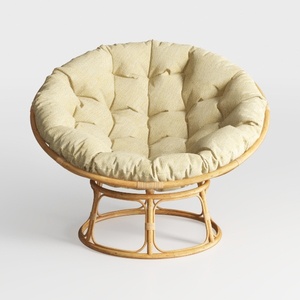
Rattan Fabric Papasan Lounge Chair 3D Model

Minimalist Rattan Woven Pendant Lamp 3D Model
Homestyler is your go-to online home design platform, perfect for transforming ideas into reality! With an intuitive design tool, stunning 3D renderings, and a plethora of DIY video tutorials, you can effortlessly create your dream space, no matter your experience level.
Zaprojektuj teraz za darmo
































