

I've installed more televisions than I can recall in various locations, from urban apartments to family living areas, glass-enclosed lofts, and cozy studios. The objective remains consistent: to create a safe, ergonomic, and visually appealing display that honors the wall space, enhances workflow, and caters to viewers. Achieving this setup hinges on two crucial elements—structural integrity and human ergonomics. The WELL v2 guidelines suggest that seated eye level should ideally be between 40 to 42 inches from the ground for most individuals, which aligns perfectly with the common placement of TV centers around 42 to 48 inches, depending on the sofa's height. Steelcase's research indicates that posture changes occur roughly every 20 to 30 minutes in social settings, emphasizing the importance of having a tilt or swivel mount to alleviate neck strain during extended viewing sessions.
Lighting is just as vital as height when it comes to TV placement. The Illuminating Engineering Society (IES) recommends a range of 10 to 50 foot-candles for living environments. Mounting a TV directly across from large windows without glare management can lead to excessively bright contrasts that are uncomfortable. Using a tilt mount or adjusting the angle can help combat reflections, while ensuring that the TV display is perpendicular to the primary light sources. Furthermore, Verywell Mind highlights that warm neutral tones can promote relaxation, making low-reflective finishes behind the TV an excellent choice to minimize visual fatigue. In smaller living spaces, I often opt for articulated mounts that pivot away from windows during daytime viewing. For complicated spatial arrangements, leveraging a room layout tool can assist in visualizing sightlines and glare patterns prior to installation.
Planning Your TV Mount: Structure, Studs, and VESA
The first step is to match the mount with the TV. Verify the VESA pattern of your television (e.g., 200×200, 400×400)—the mount must be compatible with or exceed this standard and the weight capacity. Standard 55-inch televisions typically weigh between 25 and 45 pounds; it’s prudent to implement a safety buffer of at least 25%. For stud walls, employ a stud finder and confirm placement with pilot holes; wood studs require two lag bolts per side for full-motion mounts. For metal studs, specialized anchors or a mount plate spanning multiple studs is essential. Concrete or masonry walls necessitate sleeve anchors rated to handle the TV's weight. Personally, I avoid drywall-only anchors for anything beyond lightweight displays.
Ergonomics: Height and Viewing Angles
Ideally, the center of the screen should align closely with seated eye level. In regions where sofas are taller (19 to 21 inches in seat height), attaching the TV center close to 44 to 48 inches feels most natural. If the TV is to be positioned over a fireplace, the use of a tilt mount becomes paramount. Try to maintain a vertical viewing angle of less than 15 degrees; this helps minimize neck strain and follows ergonomic comfort recommendations stated in WELL v2. If seating options vary (like bar stools or floor cushions), employing a swivel mount ensures that the screen remains within a horizontal viewing range of 30 to 40 degrees, catering to various seating arrangements.
Controlling Light and Glare
Following the IES's living room lighting recommendations of 10 to 50 foot-candles can be beneficial. Practically, it's advisable to establish layered lighting: soft ambient lights, a wall wash behind the TV to soften harsh contrasts, and glare mitigation at windows. Utilizing matte paint behind the TV (with a light reflectance value of 20-40) aids in avoiding mirror-like reflections. For spaces with south-facing windows, considering a tilt-down bracket can prevent direct light from hitting the TV surface. The quality of viewing during the day can improve by incorporating sheer shades, while nighttime should feature dimmable lighting that operates around 2700 to 3000K for optimal relaxation.
Selecting the Ideal Mount
- Fixed mounts: Best for clean, low-profile setups when seating arrangements are fixed and at the right height.
- Tilt mounts: Suitable for higher installations or mild glare management.
- Full-motion/articulated mounts: Perfect for compact spaces, corner placements, or rooms with multiple seating zones. Always confirm the arm’s extension is adequate to clear surrounding furniture and ensure that cable bend radii are appropriately respected.
- Ceiling mounts: Use these for masonry-rich lofts or when the wall’s structural integrity is uncertain; always verify joist capacity.
Layout and Managing Cables
It’s crucial to plan the positioning of outlets and the pathways for cables before drilling begins. If possible, include a recessed power solution located directly behind the TV to eliminate visible cords. For rental properties, surface raceways that match the wall color are an excellent alternative. Keeping the HDMI cable's bend radius gentle (avoiding sharp 90° angles) and labeling ports will also improve the installation. When confirming sightlines across multiple areas, a room layout planner can quickly visualize viewing angles and necessary furniture clearance, ensuring that the mount's swivel capability covers all viewing positions.
Wall Types and Anchoring Strategies
- Wood studs: Utilize lag bolts, pre-drill, and tighten securely, but avoid over-torquing. Span two studs for heavier or articulated mounts.
- Metal studs: Implement a backing plate or utilize anchors specifically designed for thin-gauge metal; avoid using single anchors for high loads.
- Masonry: Use sleeve or wedge anchors; be sure to vacuum up dust and test the fit before final tightening.
- Plaster/lath: Locate the studs. If the studs do not align with the VESA pattern, consider adding a horizontal mounting plate for bridging.
Mounting Over a Fireplace: Considerations for Heat, Height, and Tilt
Before installing above a mantel, measure the temperature during a typical fire. If sustained heat surpasses the manufacturer’s limits, choose a different wall. For installations above fireplaces, keep the center lower than anticipated and incorporate a tilt mount to alleviate neck strain. Often, I will create a shallow recess or install a low-reflectance panel to manage the glare from flames. Ensure to route cables down the side, not directly behind the firebox.
Maximizing Space in Small Areas
Using corner mounts is an excellent solution in studio apartments, freeing up wall length for storage. Full-motion mounts allow the television to be pulled back into the wall when not in use. If a bed functions as the primary viewing location, mapping the viewing angle is necessary to avoid neck strain; tools for layout simulation can assist in assessing angles around wardrobes and doorways. In narrowed living rooms, slightly positioning the mount off-center and angling it toward the sofa can create a sense of visual balance with art or shelving on the opposite side.
Sound Quality and Acoustics
Wall mounting can sometimes make sound quality suffer due to reflections. Consider adding soft furnishings such as rugs, fabric panels, or shelves to absorb mid and high-frequency sounds. Align soundbar speakers with ear height; if the TV is situated high, opt for a soundbar designed with angled drivers. In elongated rooms, refrain from placing speakers in corners to minimize bass enhancement.
Choosing Suitable Materials and Finishes
When selecting mounts, prioritize models with powder-coated steel arms and robust welds. A low-sheen matte wall paint helps to reduce reflections. If constructing a TV wall, utilizing sustainable materials like FSC-certified plywood for support and low-VOC finishes can enhance indoor air quality. Cable raceways equipped with snap-on covers simplify maintenance.
Safety and Load Testing Procedures
Prior to mounting the TV, conduct a load test using a sandbag that closely matches the weight of the TV. After extending and tilting the arm, check for proper leveling. Tighten all hardware twice: once during installation and again post-cable management. Always consider the safety of children and the risks of climbing on furniture—fixed or tilt mounts are generally safer options in children's rooms.
Step-by-Step Guide for Mounting
1) Verify VESA and weight specifications.
2) Determine wall type; locate studs or joists.
3) Plan viewing height and angles.
4) Organize power and cable paths.
5) Pre-drill and attach the mount plate.
6) Hang the TV and ensure it’s level.
7) Tidy up cables and check all inputs.
8) Adjust tilt/swivel to minimize glare and enhance comfort.
Reference Resources
For further insights on visual ergonomics and comfortable workspace principles, visit the WELL v2 guidelines, and explore lighting advice from IES standards. For research into behavior-aligned seating and posture patterns, Steelcase provides valuable information.
Frequently Asked Questions
Q1: What height is optimal for mounting my TV?
A: The screen's center should be near seated eye level—generally within 42 to 48 inches from the floor for standard sofas. If the mount is positioned higher, using a tilt feature helps keep the vertical viewing angle to within approximately 15 degrees.
Q2: How can I alleviate glare caused by windows?
A: Position the TV away from direct light by utilizing a swivel mount, apply matte paint behind the TV, incorporate sheer shades for day viewing, and aim to keep evening lighting warm (between 2700-3000K) to maintain a comfortable atmosphere.
Q3: What kind of mount should I purchase?
A: Opt for fixed mounts for streamlined, low-profile arrangements; tilt mounts for elevated placements; and full-motion mounts for spaces with multiple seating options, corner setups, or smaller apartments. Always ensure the mount is compatible with your TV’s VESA pattern and weight rating with an added safety margin.
Q4: Is it feasible to mount a TV to drywall without studs?
A: For heavier televisions, it’s advisable to avoid relying solely on drywall anchors. Use studs, masonry anchors, or install a backing plate that spans multiple studs for stability. Metal studs will require specific anchors or a bridging plate.
Q5: How can I effectively manage cables without chaos?
A: Consider installing a recessed power kit behind the TV and using paintable surface raceways for HDMI cables. Maintain gentler bends, label all cords, and test each connection before finalizing everything.
Q6: Is it safe to mount above a fireplace?
A: It is suitable only if heat levels remain within the limits established by the TV's manufacturer. Measure temperatures during standard operation, ensure the TV is mounted slightly lower than usual, and apply a tilt mount. Re-think frequent viewing above a fireplace, as alternate walls may be preferable.
Q7: What about sound quality in rooms with hard surfaces?
A: Incorporate soft furnishings—like rugs, drapes, or fabric panels—to help absorb sound reflections. Align the soundbar with ear level, and avoid corner placements to mitigate bass buildup.
Q8: How can I prepare for multiple seating areas?
A: Utilize a full-motion mount and graph out viewing angles for each seat. Position the TV accordingly, allowing for a 30 to 40 degree horizontal range. Planning tools can help visualize distribution before installation.
Q9: What lighting levels should I aim for in living rooms?
A: Try to achieve about 10 to 50 foot-candles in these spaces, per IES recommendations. Layer ambient, task, and accent lighting to help ease contrast around the television area.
Q10: Is load testing the mount necessary?
A: Yes. Before hoisting the television, hang a sandbag that mimics the weight of your TV, extend and tilt the arm, and check for stability. Always re-tighten all hardware following cable management work.
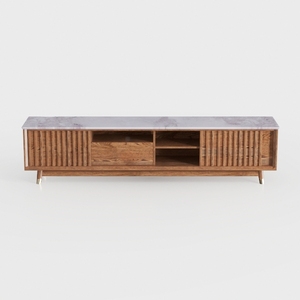
Modern Marble Top Solid Wood TV Stand With Fluted Details 3D Model

Minimalist Two Tone Solid Wood TV Stand With Storage 3D Model
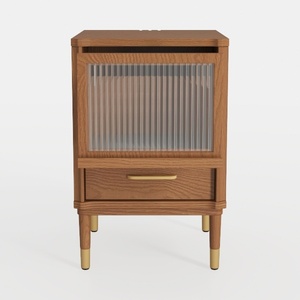
Mid Century Solid Oak Nightstand with Fluted Glass Drawer Brass Accents 3D Model
If you're looking for an easy and inspirational way to redesign your home, Homestyler is the go-to platform. With its user-friendly online design tool, stunning 3D renderings, diverse design projects, and helpful video tutorials, you can unleash your creativity and transform your space effortlessly!
立即免费设计
































