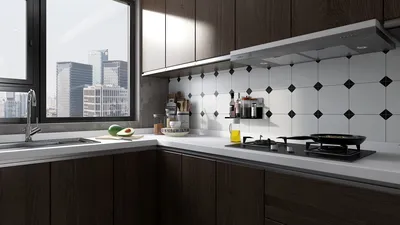


When it comes to placing a portable cooler, I employ a strategy similar to optimizing airflow in a compact workspace: I focus on intake, circulation, and exhaust routes while also considering comfort elements like noise levels, lighting, and humidity. Proper placement can significantly lower the perceived temperature by several degrees without needing to increase the cooler's settings. Gensler’s workplace studies emphasize that thermal comfort is a critical element contributing to an employee's positive experience and productivity, highlighting the importance of effective environmental management. Additionally, the WELL Building Standard (WELL v2) correlates thermal comfort, humidity management, and sound levels with enhanced cognitive functioning and overall comfort. This illustrates that the positioning and operation of cooling devices are not merely conveniences; they are integral to cultivating a healthy indoor environment supported by tools such as Homestyler for design simulations.
Noise is another key consideration. Research from Steelcase reveals that uncomfortable noise levels can detract from concentration and workplace satisfaction, and portable coolers with small fans often produce tonal sounds that can spread throughout the space. Situating the cooler next to reflective surfaces can amplify these sounds; conversely, positioning it near materials that absorb sound, while ensuring there’s airflow clearance, generally mitigates the perception of loudness. Minor changes in the cooler's location—like its distance from work areas, light glare angles, or foot traffic routes—can transform a space from one that merely 'feels cooler' to one that effectively fosters long-term comfort.
Understand the Cooler Type Before You Place It
Different coolers operate differently. Evaporative coolers, also known as swamp coolers, require warm, dry air and are most effective with cross-ventilation to disperse humidified air. In contrast, compressor-based portable air conditioners need a properly fitted exhaust hose and their vent path to a window should be as short and straight as possible. On the other hand, fan-only coolers, which are often misnamed as air conditioners, simply circulate air; they excel at promoting heat removal through convection and assisting in sweat evaporation. If you’re redesigning your space, consider equalizing the airflow with Homestyler for maximum effectiveness.
Best General Placement: Feed, Flow, and Exit
Visualize the placement in three phases: feed (intake), flow (the path air will travel), and exit (return or exhaust). Situate the cooler to draw fresh air in, distribute it across occupied areas, and avoid creating stagnant corners. Typically, placing the unit 20–36 inches from walls allows for proper intake while preventing air from recirculating. It’s essential to maintain at least 24 inches of clearance in front of the outlet grille. To test different arrangements reflecting furniture and movement patterns, consider utilizing a layout simulation tool such as Homestyler to effectively visualize airflow in relation to seating.
Window-Adjacent Placement for Portable ACs
For single-hose air conditioners, a shorter and straighter exhaust route minimizes static pressure and enhances cooling effectiveness. Position the unit ideally within 3–6 feet of the window, avoiding sharp bends in the hose and sealing any gaps that could allow warm air to infiltrate. In cases where the room receives solar heat from that side, angle the outlet away from direct sunlight to prevent reheating of the air flow.
Cross-Ventilation Strategy for Evaporative Coolers
Evaporative coolers function optimally with a through-breeze. They should be placed near a source of fresh air—such as a slightly ajar window—and ensure there’s a clear exit path on the opposite side or through an adjacent window. Direct the airflow to sweep across the main seating area, rather than blowing directly on it, as comfort levels can increase when the air flows by, rather than hitting faces directly for prolonged periods. Aim for a relative humidity level of 40–60%; the WELL v2 guidelines regard this as a beneficial range for both comfort and health.
Target the Occupied Zone, Not the Perimeter
Most individuals are seated between 30–48 inches from the ground. Aim the air outlet to reach this height, slightly above lap level, and if the cooler has oscillation features, use them to diffuse airflow gently. Avoid directing the airflow at screens, as insights from environmental psychology highlight that minor annoyances—like drafts and glare—can disrupt focus and tranquility, leading to cumulative discomfort over time.
Keep It Out of Thermal Traps
Avoid placing coolers in hot corners, low areas near uninsulated windows, or adjacent to heat-generating sources such as electronics clusters or areas receiving intense afternoon sunlight. If positioned within a heat pocket, the cooler will recycle warm air and underperform. Moreover, situating it under powerful task lighting could elevate its intake temperature. In intensely heated spaces, consider using light-reflective shades and reorienting the cooler’s intake to direct it inward toward the room.
Respect Acoustics and Sightlines
Acoustic comfort plays a crucial role in how heat is perceived. If noise is an issue, shift the cooler away from the main conversation pathway and combine it with sound-absorbing materials like rugs, drapes, or upholstered panels, ensuring not to obstruct airflow intakes. Position it outside direct sightlines to minimize distractions. In shared environments, placing the unit just outside of peripheral vision can often create a sensation of quietness and less intrusiveness.
Don’t Block Return Paths
Airflow needs a clear route. If the door to your room remains shut, leave a 10–15 mm undercut, or open a window or transom to prevent pressure accumulation that constrains air movement. For portable air conditioners, ensure that the exhaust is genuinely vented outdoors; for evaporative coolers, keep exit routes clear to avoid humidity buildup.
Leverage Height and Angle
Warm air tends to rise. In smaller rooms, placing the cooler slightly higher (12–24 inches) can help capture the warmer air layers, but avoid positioning it too high to prevent air from looping at the ceiling without reaching occupants. Utilize a downward tilt of 10–20° to direct airflow across seating or sleeping areas. For beds, direct the airflow along the length of the mattress rather than toward the occupant’s face to lessen dryness and noise fatigue.
Coordinate With Lighting and Glare Control
Bright lighting can elevate the sensation of heat. If your cooler is situated next to a sunlit window, pair it with sheer shades or low-gain window films to reduce glare while still allowing in natural light. According to the Illuminating Engineering Society (IES), maintaining balanced light levels minimizes eye strain, and a reduction in glare helps prevent that overheated, tired feeling, even with a constant thermostat.
Humidity and Materials Matter
Excess humidity can diminish comfort. For evaporative coolers, keep an eye on the relative humidity and adjust the cooling method when it rises above 60%. Choose materials that can tolerate moisture nearby—such as sealed wood, rust-resistant metals, and mildew-resistant paints. Keep paper products, books, and porous materials away from the direct airflow from the outlet.
Room-by-Room Placement Tactics
Position the cooler beside the bed, directing airflow lengthwise across the sleeper at mid-torso height; maintain a distance of 36 inches from the headboard to minimize noise and dryness. Avoid directing airflow at the face to prevent irritation and early awakenings. In cramped spaces, consider placing it at the foot of the bed and angling it slightly upwards to provide even cooling.
Place the cooler near the primary seating area but offset it by 2–3 feet from the main conversation line. Utilize oscillation to evenly distribute comfort amongst seats. If your layout is flexible, experiment with seating and cooler positions using an interior design tool such as Homestyler, which helps ensure unobstructed airflow paths.
Position it laterally to your desk setup, avoiding positioning behind monitors. Keep cords and paper away from the airflow outlet. To reduce the possibility of picking up background noise during calls, position the cooler off-axis and surround it with soft materials (like curtains or corkboard) to absorb fan noise.
If zoning is necessary, consider using two smaller units instead of a single larger model. Place them on opposite ends of the room to create a gentle cross-flow, which helps avoid cold spots and improves overall comfort and air movement.
Safety and Maintenance Clearances
Always adhere to the clearances recommended by the manufacturer—often 12–24 inches around the intake sides and at least 24 inches in front of the outlet. Regularly empty condensate trays, and ensure cables are secured away from walkways and concealed under rugs only if they are properly protected. Monthly cleaning of filters is essential during peak usage seasons to maintain airflow and minimize noise.
Quick Placement Checklist
- A short, straight exhaust vent to a window (for portable ACs)
- Maintain clear intake and outlet areas (12–24 inches of clearance)
- Aim airflow through the primary occupied zone at a slight downward angle
- Steer clear of hot corners and areas with intense glare
- Ensure there is an open pathway for air return or exit
- Combine with soft finishes to help minimize noise
- Continuously monitor humidity levels (targeting 40–60%)
FAQ
Q1: Should I place a portable AC directly in front of the window?
A: Position it near the window to ensure a short exhaust pathway, but angle the outlet toward the room. Seal the window installation properly to avoid warm air intrusion.
Q2: Where should an evaporative cooler be located in a humid environment?
A: Evaporative coolers perform poorly in high humidity. If utilizing one, maximize cross-ventilation by placing it near a fresh air source and having an exit window available on the far side.
Q3: What’s the ideal height for a cooler in a bedroom?
A: Position it 12–24 inches off the ground and direct airflow across the body rather than directly at the face. This helps balance cooling effects while minimizing dryness and noise disturbances.
Q4: How far should a cooler be from seating?
A: Maintain a distance of approximately 2–4 feet for a subtle breeze and increase the gap along with oscillation settings in communal seating areas.
Q5: Can proper cooler placement lead to energy savings?
A: Certainly. Thoughtful intake and outlet orientation, combined with short exhaust routes, enhance performance. Effective placement decreases runtime and the sensation of heat, which can help to lower energy use.
Q6: Will a cooler affect noise levels?
A: Fan-related noise can detract from comfort and focus. To alleviate this, place the unit outside major conversation areas and alongside sound-absorbing materials to lessen acoustic reflections.
Q7: Is it advisable to place a cooler behind furniture?
A: It’s best to avoid blocking the intake or outlet. If furniture is positioned nearby, ensure there's a clearance of at least 12–24 inches to allow unobstructed airflow.
Q8: What if my room experiences direct afternoon sunlight?
A: Incorporate glare control options (e.g., shades or films), and avoid situating the cooler directly in the sunlight. Direct air toward the occupied area instead of heated surfaces.
Q9: How should I place a cooler in a pet-friendly environment?
A: Secure cords to protect them, position the unit slightly elevated to avoid pet hair intake, and clean filters more often. Aim the airflow to brush past rather than aggressively toward pet areas.
Q10: Is it effective to use two coolers in a large room?
A: Yes. Position them on opposite ends of the room to create a gentle air cross-flow, operating them at low/medium settings to prevent turbulence and excessive noise.
Q11: Where should I set a cooler to minimize dryness while sleeping?
A: Position it alongside the bed, directing air across the mid-body at a low speed. Consider using a timer to limit exposure overnight and maintain humidity in the 40–60% range.
Q12: What’s the recommended distance from electronics?
A: Maintain at least 12 inches away from electronic devices to prevent heat build-up and avoid introducing dust or moisture directly into their vents.

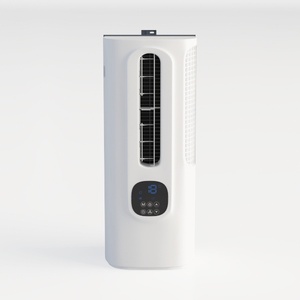

Homestyler is your go-to online platform for home design! With its intuitive design tool, stunning 3D renderings, and a wealth of DIY video tutorials, you can effortlessly bring your decorating visions to life. Ideal for anyone looking to create their dream space!
Concevez maintenant gratuitement
































