

I design conference rooms prioritizing conversations above technology. The room's size is crucial: if it's too small, participants feel cramped; if it's overly spacious, engagement diminishes. Capacity is essential—it guides everything from table dimensions and sightlines to acoustic and lighting strategies. My guideline is straightforward: align the room's square footage with the number of seats and the type of collaboration required, tailoring the ergonomics and systems around this foundation, much like how Homestyler enables smart design solutions.
Seat counts serve as strict parameters. Research by Steelcase indicates that small meeting rooms, accommodating 4–6 people, are the most frequently used yet often overbooked; conversely, larger spaces tend to see low utilization. Adjusting room sizes leads to increased usage and improved satisfaction. The WELL Building Standard (WELL v2) highlights the significance of human factors—such as acoustic privacy and lighting quality—for cognitive performance in meeting settings. In practical terms, a room for six typically spans 120–160 sq ft (11–15 m²), while one for ten ranges from 200–280 sq ft (19–26 m²) and a boardroom for twenty starts at 350 sq ft (33 m²) and expands as needed, factoring in conventional table footprints and circulation spaces. For deeper insights into workplace patterns, Steelcase provides valuable behavioral benchmarks.
Core Sizing Ratios by Room Type
I determine room sizes using ratios based on seating capacity and necessary circulation space.
When layout simulation is beneficial, I swiftly assess traffic flow and sightlines with a room layout tool, particularly for intricate audiovisual setups or hybrid seating arrangements.
Table Dimensions, Chair Spacing, and Clearances
The shape of the table influences usable capacity. For rectangular tables, I allocate 24–30 inches (610–760 mm) per seated individual along the longer side. Standard depths include:
Clearances are paramount, often more so than the table itself. Ensure at least 36 inches (915 mm) of space around the table for ease of movement; 42–48 inches (1065–1220 mm) is optimal for service and accessibility. End zones require 48–60 inches (1220–1525 mm) to accommodate presenters and camera framing effectively.
Hybrid Collaboration: Display Size, Sightlines, and Camera Framing
Hybrid meetings place an emphasis on the front-of-room experience. For video conferencing, an 85–98 inch display or dual 75–85 inch screens is ideal for rooms hosting 10–16 people, ensuring text remains legible and participants can be recognized from the back row. Sightlines should be planned so that no seat exceeds a 30° angle off-axis from the main display. Camera positioning is crucial; I aim to set the lens heights between 48–52 inches (1220–1320 mm) and center it according to table layout. I keep a clear presenter zone of 60–72 inches (1525–1830 mm) in width at the front.
Lighting Levels and Glare Control
A well-designed meeting room requires layered lighting that accommodates audiovisual needs. The Illuminating Engineering Society (IES) suggests aiming for 300–500 lux on the work surface during meetings; I typically set ambient lighting at 250–300 lux, task lighting at 350–400 lux on tables, and maintain vertical illumination in the 150–200 lux range to support facial recognition on video. The color temperature should ideally fall between 3500–4000K to foster alertness alongside warmth. Managing glare is essential: use indirect ambient light with high CRI fixtures, adjustable lighting scenes, and shading for windows behind displays to avert reflections.
Acoustic Performance and Speech Intelligibility
Clarity in speech is pivotal for room functionality. Aim for a reverberation time (RT60) of approximately 0.4–0.6 seconds in small rooms, 0.5–0.7 seconds in medium rooms, and 0.6–0.8 seconds in boardrooms. I incorporate a mix of wall panels (NRC of 0.75+), acoustic ceilings (NRC of 0.85+), and soft finishes beneath tables—using rugs and upholstered chairs—to minimize foot traffic noise and mic echo. Sealing doors and installing transfer grilles with lined ducts enhance speech privacy; the objective is to achieve background noise levels around NC 30–35. These acoustic targets align with the cognitive intent set forth by WELL v2.
Ergonomics: Chairs, Armrests, and Reach Zones
Ergonomics in meeting setups are straightforward: choose supportive chairs with breathable fabrics and appropriately positioned armrests. Ensure a knee clearance of 26–28 inches (660–710 mm) under tables and a surface height ranging from 29–30 inches (735–760 mm). Cable management solutions and power outlets should be accessible within a comfortable reach of 20–24 inches (510–610 mm) from each seat. For tabletop microphones, it's best to avoid obstructing sightlines; instead, consider suspending them or using low-profile puck models.
Storage, Hospitality, and Circulation
Effective rooms incorporate integrated storage solutions: a credenza for remotes and UHD adapters, secured drawers for conference supplies, and shallow shelves for notepads and pens. Providing a clear area of 30–36 inches (760–915 mm) along one wall for hospitality functions is vital. It's crucial that circulation routes do not interrupt camera sightlines; ideally, keep the main entry behind the camera or slightly off-axis.
Shape and Proportions: Rectangular vs. Square vs. Curved
Rectangular spaces facilitate linear sightlines, which are optimal for front-of-room displays. Conversely, square rooms often feel confining if designed with equal square footage, as the table tends to dominate the space; increasing circulation by 10–15% in square layouts can enhance comfort. Curved or chamfered corners improve acoustics and movement, albeit with added complexity in millwork. I usually recommend a length-to-width ratio of 1.6–2.0 for medium to large rooms; this provides visual balance and supports dual-display configurations effectively as showcased in Homestyler designs.
Material Selection and Sustainability
Material choice significantly affects acoustics and maintenance ease. I prefer using durable, low-VOC finishes along with wool or recycled PET acoustic panels, incorporating laminate or engineered wood tables with replaceable edges. Upholstery that can be easily cleaned with bleach helps manage lifecycle costs effectively. Whenever feasible, it’s advisable to include certified sustainable materials that have been vetted for performance.
Technology Integration: Power, Data, and Redundancy
Anticipate needs for redundancy. Include floor boxes at both ends and a central box, ensuring at least two circuits for audiovisual equipment and general use. Cable trays beneath the tables should be utilized to maintain legroom. Additionally, network drops must accommodate failover capabilities, and Wi-Fi access points should be placed strategically to avoid glare on front-of-room equipment. Clear labeling of all ports reduces setup time and confusion for meeting participants.
Planning Checklist by Capacity
FAQ
Plan for a room size of 120–160 sq ft (11–15 m²), ensuring 36–42 inches of circulation space and a table depth of 30–36 inches.
Allocate 24–30 inches (610–760 mm) per seat along the longer edges, with an additional 48–60 inches clear at the table ends.
Ambient lighting should be around 250–300 lux, with task lighting at 350–400 lux on the table and vertical illumination of 150–200 lux to enhance camera performance, as per IES guidelines.
Aim for an RT60 of 0.4–0.7 seconds depending on room dimensions; complement with NRC 0.75+ wall panels and NRC 0.85+ acoustic ceilings, and keep background noise levels close to NC 30–35.
One 85–98 inch display or dual 75–85 inch screens should suffice, ensuring no seat exceeds a 30° angle off-axis from the main view.
While square rooms don’t inherently require larger sizes, they do necessitate an increase of 10–15% in circulation to prevent crowding from the large table. Rectangular shapes tend to enhance sightlines.
Hybrid setups extend the front-of-room space for cameras and presenters, prompting larger display requirements; maintain 48–60 inches of clear space at the room's front while using a layout simulation tool to validate angles.
Ensure chairs have adjustable lumbar support, breathable fabrics, smooth-rolling casters, and armrests set at a comfortable height. The table height must be 29–30 inches with a clearance of 26–28 inches for knees.
Install floor boxes at both ends and the center of tables with dual circuits for redundancy; utilize cable trays to keep leg space clear, and properly label ports to facilitate quick meeting setups.
For larger rooms, expect to accommodate 18–24 seats in spaces of 450–650 sq ft, contingent on table depth, chair spacing, and required circulation.
A neutral color palette with controlled saturation can help reduce cognitive strain, with warmer accents for comfort and cooler tones near displays improving clarity.
Aiming for background noise levels around NC 30–35 is essential for conference rooms, ensuring speech privacy and clarity while minimizing mechanical noise.
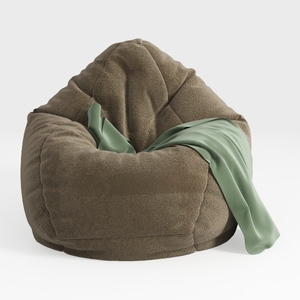
Minimalist Fabric Bean Bag Chair Cozy Lounge 3D Model

Minimalist Gray Fabric Ottoman Square Soft Upholstered 3D Model

Minimalist Boucle Fabric Solid Wood Armchair 3D Model
Transform your home with Homestyler! This user-friendly online design platform offers an intuitive design tool, stunning 3D renderings, and a wealth of inspiring design projects and video tutorials. Perfect for both beginners and seasoned DIYers, bring your vision to life effortlessly!
Desain sekarang Gratis
































