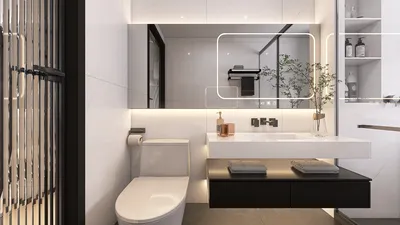


Enhancing the visual appeal of a 3D model by texturing only one side can significantly streamline your workflow. Whether you're designing characters, objects, or entire environments, this guide outlines the key steps for effective one-sided texturing with the help of tools like Homestyler.
Understanding UV Mapping
Grasping the concept of UV mapping is essential before you begin the texturing process. This technique projects a 2D image texture onto your 3D model. Start by unwrapping your model to generate a UV map that specifies how the texture will be applied.
For one-sided texturing, it’s important to create UV coordinates that focus solely on the side where the texture will be applied. This approach reduces surface distortion, ensuring that your texture remains sharp and clear.
Choosing the Right Texture
Selecting the right texture is crucial for achieving realistic appearances. Choose a texture that fits the design intent and functionality of your model. Platforms such as textures.com and ambientcg.com provide a wide range of free textures suitable for various projects.
Make sure the texture resolution meets the requirements of your model. Higher resolution textures yield better quality, especially when viewed up close.
Applying Texture in 3D Software
Most 3D applications, including Blender and Maya, support easy texture application through material settings. Begin by creating a new material and assigning it to the specific faces of your model. Import the desired texture image and apply it to the material correctly.
While applying the texture, adjust the UV scale and mapping parameters to ensure a proper fit on your model. Pay close attention to alignment to guarantee that the texture flows seamlessly.
Final Touches: Lighting and Rendering
After texturing, it's crucial to establish adequate lighting to enhance your model's rendering. Experimenting with various lighting configurations can significantly impact how your texture appears.
Finally, render your model to review the outcome. This allows you to assess the effectiveness of your one-sided texturing technique and make any necessary tweaks.
FAQ
Q: What should I do if my model's texture looks stretched?
A: You might need to revise the UV mapping or select a texture with better resolution and alignment.
Q: Is it possible to use procedural textures instead of image textures?
A: Absolutely, procedural textures are excellent for creating seamless effects without visible seams.
Tips for Successful One-Sided Texturing
Incorporate detailing through bump mapping or normal mapping to add realism without complicating your texturing process. Additionally, pay attention to color harmony when layering textures to maintain a consistent visual result, especially when using tools like Homestyler.

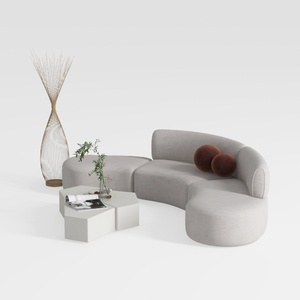
Minimalist Fabric Curved Sectional Sofa 3D Model
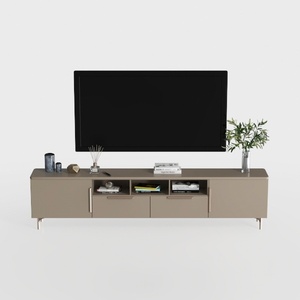
Modern Minimalist Solid Wood TV Stand Cabinet with Storage 3D Model
Homestyler is an exceptional online home design platform perfect for all skill levels. With its easy-to-use design tool, stunning 3D renderings, and a wealth of DIY video tutorials, you can effortlessly create and visualize your dream space in no time. Transform your home today!
Diseño ahora GRATIS
































