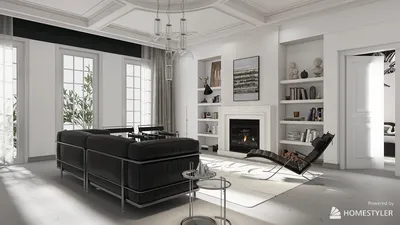


Quick Summary
- Office interior design drawings are crucial for developing functional and visually appealing workspaces.
- Effective office design fosters teamwork, boosts employee morale, minimizes stress, and enhances productivity through the integration of elements such as natural light and ergonomic furnishings.
- Typical office design drawings encompass floor plans, elevation drawings, and 3D visualizations.
Office interior design drawings serve as a vital tool for crafting both practical and attractive work environments. They not only set the stage for the layout and flow of the office but also embody the company's brand identity and culture. Whether you're embarking on a design for a startup or an established corporation, grasping these drawings can significantly optimize productivity and employee happiness.
Understanding Office Design Drawings:
Office design drawings generally consist of floor plans, elevation sketches, and 3D renderings. Floor plans depict the spatial arrangement, indicating how furniture and workstations are configured. Elevation sketches offer a vertical perspective, highlighting wall finishes and height specifications. Lastly, 3D renderings provide a lifelike image of the envisioned space once completed.
Benefits of Professional Office Design:
Investing in professional office interior design is essential for elevating the workspace. A thoughtfully crafted design encourages collaboration, uplifts employee morale, and can significantly lower stress levels. Moreover, including features such as abundant natural light and ergonomic furniture can result in greater productivity. For inspiring design ideas and resources, consider exploring Homestyler, which offers user-friendly tools for your creative needs.
Creating Your Drawings:
To begin crafting your office interior design drawings, first identify your team's specific requirements. Reflect on aspects such as the number of employees, the nature of their tasks, and the desired ambiance. Leveraging tools like Homestyler can streamline the design process and effectively visualize your concepts.
FAQ
What software options are available for office interior design drawings? A variety of software solutions exist, including AutoCAD and SketchUp. Additionally, platforms such as Homestyler's 2D Design Tool feature intuitive interfaces for creating detailed drawings.
Welcome to the Premier Office Design Software

Minimalist Fabric Upholstered Armchair Cozy Living Room Furniture 3D Model
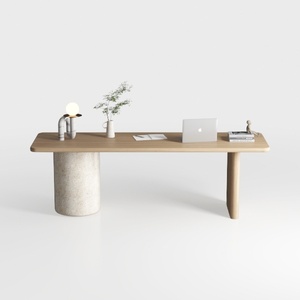
Minimalist Japandi Solid Wood Concrete Office Desk 3D Model


Solid Wood Dining Chair Rattan Home Retro Chair
Discover your dream home with Homestyler! This user-friendly online design platform offers an amazing design tool, stunning 3D renderings, and a plethora of design projects. Plus, learn at your own pace with engaging DIY video tutorials. Start creating beautiful spaces today!
立即免费设计
































