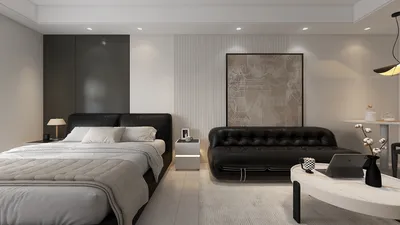


Transporting an entire room via a vehicle involves more than just considering square footage; it's about creating a portable and modular setup that can be efficiently packed, moved, and reassembled. This process requires thoughtful design approaches that consider how components interlock, how the overall layout is executed, and how essential elements such as lighting, sounds, and ergonomics transition seamlessly from a home environment to a mobile system. Utilizing tools such as Homestyler can aid in visualizing these connections effectively.
Two key insights guide my foundational approach. Research from Steelcase indicates that flexible and modular setups boost team effectiveness and adaptability in various settings, while Gensler's workplace studies consistently link spatial flexibility to enhanced satisfaction and functionality. When combined with insights from WELL v2—particularly regarding light quality and strategies to manage glare—this creates a comprehensive design framework focused on adaptability, visual comfort, and human performance, even when configurations are temporarily on the move. For those interested in deeper insights, the WELL Building Standard (v2) outlines specific strategies regarding lighting and comfort.
Identifying the Essential Functions of the Mobile Room
The process begins by defining the core functions of the room, which include work, rest, storage, hygiene, and social interaction. Each function should be designed as a modular kit that can be easily stacked, folded, or rolled. The spatial design will dictate the necessary volume and weight: workstation modules need to be lightweight and collapsible, while sleeping arrangements should have structural integrity and insulation. Research from Steelcase confirms that prioritizing modularity not only enhances usability but also minimizes time spent on reconfiguration, allowing for a smooth transition from one location to another without it appearing as an assortment of disorganized boxes.
Planning Volumes Before Dimensions
The constraints of vehicle dimensions necessitate thoughtful planning of volume rather than just focusing on measurements. I approach the design with volumetric layers: heavier items should be placed low and centered, while lighter and more fragile pieces are positioned higher and more protected. Critical daily-use items should remain easily accessible near the doors. Tools like Homestyler come in handy for this stage, enabling scenario testing and path mapping in a virtual environment before actual loading occurs. I simulate reach zones, turning radii, and the order of unpacking to streamline the process.
Emphasizing Modularity: Fold, Nest, Slide
The essence of a mobile room lies in its modular furniture that is adaptable. I advocate for three main types: foldable panels that serve as walls or tables, nesting storage cubes, and slide-track frames that can form partitions. Fastening methods should minimize the need for tools, utilizing cam locks, quarter-turn latches, and captive bolts to allow for quick setup—ideally within 30 minutes per designated area. Consistent structural patterns are crucial for simplifying assembly and achieving visual cohesion throughout the space.
Lighting Solutions for Mobility
Effective lighting is crucial for comfort, often more than one might assume. Following WELL v2 guidelines, I prioritize glare control and uniformity in lighting levels, ensuring task areas receive between 300 and 500 lux, while ambient lighting hovers around 150-300 lux. I use warm-neutral LED lights in the range of 2700 to 3500K for mixed-use spaces. Additionally, I pack two layers of lighting solutions: magnetic task lights for quick installation and low-glare ambient strips with diffusers to maintain a comfortable atmosphere. Incorporating dimmers further helps reduce eye strain during transitions from natural to artificial lighting.
Maintaining Ergonomics While in Transit
Consideration for human factors remains essential, regardless of mobility. I ensure working surfaces are set between 710 and 740 mm high for seated tasks, offering adjustable seating options or stools to accommodate height differences. Screens should be positioned at eye level, allowing the top third of the display to be in line with the viewer's eyes; keyboard placement should ensure a near 90° angle at the elbow. Additionally, I include anti-fatigue mats for areas where standing work occurs and specify rounded edges on all modules to mitigate injury risk during hurried setups. For prolonged deployments, I recommend using quick-fit monitor arms and collapsible sit-stand converters for enhanced flexibility.
Sound Control: Achieving Acoustic Comfort
The challenge of noise in both vehicles and temporary structures necessitates careful acoustic planning. I implement a three-tier approach: using soft absorptive panels for higher frequencies, rugs for footstep sound reduction, and secure seals at door frames to minimize sound transfer. Utilizing materials rated for noise reduction (NRC) in high-impact areas—such as workstations and sleeping quarters—is essential. A compact white noise machine can help mask outside noise without exceeding energy limits. Partition heights should range from 1500 to 1800 mm, with some openings at the top for airflow and privacy balance.
Understanding Color Psychology in Mobility
Color has a profound effect on emotional ambiance. According to summaries from Verywell Mind, certain colors—like blues and greens—tend to evoke calmness and enhance focus, while warmer tones energize but may lead to fatigue over time. I opt for low-saturation greens in work areas, warm neutrals in social spaces, and contrasting edges to help ease the visual setup process. High-chroma accents can also facilitate quick identification of different kits and tools during transitions.
Material Considerations and Sustainability
When choosing materials, considerations such as weight, durability, and environmental impact play critical roles. I recommend using lightweight plywood cores with high-pressure laminates for surfaces, aluminum frames for structure, and acoustic PET felt. It is advisable to select reusable fasteners and minimize adhesive use. If including hygiene modules, use moisture-resistant surfaces and sealed edges. Whenever possible, opt for finishes incorporating high recycled content and low levels of volatile organic compounds (VOCs) to maintain air quality within compact settings.
Strategies for Thermal Control and Ventilation
Mobile rooms frequently encounter issues with heat accumulation. I design with cross-ventilation in mind, placing intake vents lower while exhausting air from higher points. In situations where dust is a concern, I recommend including modular fans and a compact HEPA filter. Shade cloths can reduce heat gain, while reflective materials on external containers are beneficial. During colder periods, I make sure to pack insulating panels that can double as information boards, alongside safe, low-watt radiant mats for warmth. It’s crucial that ventilation routes are kept clear, even when partially set up.
Ensuring Proper Load Management and Safety
Achieving balance in the vehicle is vital. Heavier modules should be positioned above the axle lines and secured with a dual-point strap system, while fragile items must be protected with shock mounts or foam padding. Every module should be clearly labeled according to weight and handling requirements. An unobstructed aisle is essential for safe egress, and a portable essentials kit containing lighting, basic tools, and core ergonomic elements should be easily accessible. Additionally, including a small fire extinguisher and a first-aid kit close to the main entrance enhances safety.
Deployment Steps: From Vehicle to Room Setup
I map out a simplified four-step deployment process: 1) Clear the area and outline zones, 2) Erect structural frames and anchor the corners, 3) Install lighting and power channels, and 4) Arrange work and rest modules, followed by adding acoustic treatment and color details. Utilizing a virtual layout simulation tool like Homestyler can refine these steps, enhancing efficiency and reducing overall setup time.
Spatial Ratios and Achieving Visual Balance
Even temporary arrangements can benefit from proportion and balance. I strive for a 60–30–10 approach, with the primary function occupying 60% of the floor space, secondary uses at 30%, and lesser functions at 10%. Pathways should be at least 800–900 mm wide, with modules aligned to a consistent grid to create a cohesive feel in joints, lighting, and storage elements. Establishing a visual rhythm through repeated widths and consistent settings enhances the intentionality of the space, giving it a more polished appearance.
Packing Checklist for Mobile Rooms
- Structural frames with captive connectors
- Foldable panels organized by function
- Lighting options: task and ambient with dimmer controls
- Power supply: surge-protected strips and cable management
- Ergonomic equipment such as adjustable chairs, sit-stand converters, and mats
- Acoustic materials: PET felt panels and rugs
- Color coding and signage: decals for zones
- Safety equipment: straps, fire extinguisher, first-aid kit
- Tool kit: multi-tool driver, hex keys, measuring tape, clamps
- Comfort items: portable fans, heating mats, and HEPA filters
Frequently Asked Questions
Identify the core activities (working, sleeping, cooking, socializing) and convert each into compact modules with defined dimensions, folding points, and weight considerations. Focus on multifunctional items.
For workspace tasks, aim for lighting levels between 300 and 500 lux, and ambient levels of 150 to 300 lux, utilizing 2700 to 3500K LED lights to prevent glare while maintaining comfort. Dimmers are crucial.
Establish work surfaces between 710 and 740 mm high and ensure screens are at eye level. Seating should provide lumbar support. Anti-fatigue mats should be included for standing tasks, alongside effective cable management to prevent tripping hazards.
Incorporate layered acoustic solutions such as PET felt, rugs, and sealed edges near noise sources. Consider a compact white noise machine for additional sound masking.
Common mistakes include overloading the vehicle, mixing heavy and fragile items, and not preparing a designated essentials kit. Always keep a clear egress path and practice the layout with a design visualization tool like Homestyler before execution.
Choose lightweight plywood with high-pressure laminates, aluminum for framework, and PET felt for acoustics. Avoid using heavy materials like solid wood or stone, and select low-VOC finishing products to enhance indoor air quality.
Ensure proper air circulation by designing low intake and high exhaust paths. Use shade cloths to manage heat gain and reflective materials on outer containers. For colder environments, include insulated panels and safe radiant heating options.
Absolutely. Select low-saturation colors like greens and blues for focused areas and warm neutral tones for social spaces. Bright color accents improve wayfinding during the setup process.
Ensure heavy items are evenly distributed over axis points and secured safely. Use protective shock mounts for delicate items and label all modules appropriately by weight category. Maintain accessibility to a first-out essentials kit.
Opt for minimal-tool connectors and establish consistent grid layouts. Clearly label all modules and rehearse the setup sequence using Homestyler to streamline the process. Position primary lighting and ergonomic essentials at the top for immediate access.



Homestyler is your go-to online home design platform, perfect for both novices and seasoned designers. With its user-friendly design tool, stunning 3D renderings, diverse design projects, and informative video tutorials, you can effortlessly transform your home ideas into reality. Explore your creativity today!
立即免费设计
































