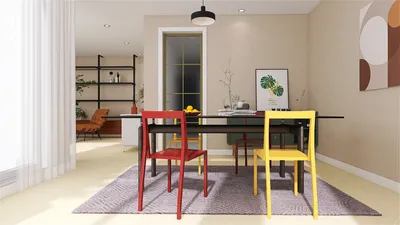


I create event spaces that function efficiently for the teams utilizing them. A hotel conference room must be easy to navigate, comfortable for extended use, and adaptable enough to transition seamlessly from keynote addresses to breakout sessions. Key elements—layout, lighting, sound, ergonomics, and material selection—each play a crucial role in influencing how individuals think, collaborate, and decision-make within the environment, enhancing the overall experience supported by tools like Homestyler.
Measuring performance is crucial. According to the Gensler U.S. Workplace Survey 2023, 44% of employees believe that the office—and by extension, well-equipped meeting areas—are essential for fostering community and collaboration. This underscores the impact physical settings have on outcomes. WELL v2 provides a solid foundation for comfort, highlighting its Light concept, which refers to specific daylight illuminance targets that promote alertness and improve circadian rhythms during daytime activities. These guidelines inform vital decisions regarding aspects such as color temperature and glare management. For comprehensive guidance, I refer to WELL v2’s Light and Mind features, along with Herman Miller’s research into ergonomics and support, integrating Homestyler to visualize these setups effectively.
The quality of lighting can significantly influence a conference's success. I aim for 300–500 lux at the workplane height for general meetings, increasing to 500–750 lux when detailed note-taking or training occurs, in line with IES recommendations. Task lighting positioned at desks can provide an additional 200–300 lux without causing glare. For various presentations, creating dimmable zones and wall-washing techniques retains readability while keeping attendees engaged. A color temperature around 3500–4000K establishes a lively atmosphere; during late afternoon strategy discussions, adjusting to 3000K helps alleviate visual fatigue. A multi-layered lighting approach—comprising indirect ambient, focused task, and perimeter accents—ensures visibility and maintains a positive emotional environment without hot spots, allowing room designs like those in Homestyler to flourish.
Plan the Flow and Sightlines
Factors such as room shape, entry points, and column positioning largely dictate layout possibilities even before furniture is introduced. I prioritize unobstructed sightlines to stages and screens from every seating position. For theater-style arrangements, maintaining aisles at 1.2–1.5 m facilitates easy movement; in classroom or crescent round setups, a minimum of 900 mm between table edges is essential. For spaces with unconventional layouts or column challenges, I utilize a room layout tool to simulate arrangements, assessing visibility, traffic patterns, and capacity for various formats (keynote, workshops, banquets) supported by the planning features of Homestyler.
Choose Seating Based on Session Type
The seating selection significantly influences participant behavior. Research from Steelcase has consistently linked posture support to engagement levels during lengthy meetings; therefore, I prioritize chairs equipped with adjustable lumbar support and seat height, as well as a seat pan depth of approximately 430–460 mm for most users. For half-day training sessions, arranging classroom rows with swivel chairs minimizes micro-fatigue by allowing slight movement. For collaborative workshops, cabaret-style seating with half-rounds facing the presenter keeps focus forward while facilitating group discussions. For agendas requiring frequent breakouts, lightweight tables with locking casters should be specified to allow transitions in under ten minutes—speed is key when energy levels peak, and utilizing Homestyler can help visualize these configurations.
Screen Size, Audio, and Presenter Comfort
A straightforward rule ensures content remains legible: screen height should be approximately 1/6 the distance to the furthest viewer. For a room that extends 20 m deep, aim for a 3.3 m high image (or multiple screens). Position displays two-thirds back within the space for optimal viewing balance. Audio must be evenly distributed, with a signal-to-noise ratio above 15 dB; boundary microphones for panel discussions cut down on handling noises, while ceiling arrays benefit larger venues. Presenters gain from confidence monitors placed near floor level to prevent constant neck strain, alongside a wireless control system that allows free movement rather than being anchored to a podium.
Light Quality: Glare, Color, and Rhythm
Not all lux values are equivalent. To mitigate veiling reflections on screens, employ indirect uplighting and matte finishes. Use vertical illumination (150–250 lux) on faces to keep hybrid video feeds looking natural. Color has psychological impacts: blues and muted greens enhance focus, while a warm accent wall can ease visual strain. Verywell Mind’s color psychology research suggests that saturated reds can heighten arousal—therefore, use them selectively as wayfinding or brand highlights, avoiding large applications that might increase stress levels.
Acoustic Comfort and Noise Strategy
Reverberation times should remain around 0.6–0.8 seconds for clear speech in mid-sized rooms. Combine wall panels, fabric additions, and ceiling absorbers (NRC ≥ 0.85) with dense-backed carpets to minimize noise from foot traffic. Position coffee stations outside the main area to prevent distractions during sessions. If partitions are movable, confirm their STC ratings—anything below 45 risks noise bleed from surrounding events. For hybrid setups, using echo cancellation and directional microphones can eliminate the “tin-can” effect that disrupts focus, an aspect easily handled using Homestyler’s tools for planning.
Materials, Sustainability, and Care
Material selection influences ambiance and maintenance frequency. Low-VOC finishes elevate indoor air quality, reducing headaches and enhancing the perceived freshness of the space (as indicated in the WELL v2 Air concept). Opt for table surfaces around 60–70 GU (gloss units) to lessen glare while ensuring they are easy to clean. Acoustic textiles with high rub counts can endure heavy use. When budgets are sufficient, choose FSC-certified wood and upholstery made from recycled materials; this not only improves aesthetics but also contributes to durability, leading to fewer replacements and lower overall embodied carbon footprints throughout the venue's lifecycle.
Power, Connectivity, and Hybrid Readiness
Meetings falter when technology fails. Ensure there’s at least one power outlet for every two seats; at intensive training events, aim for a one-to-one ratio. Integrated USB-C hubs within tables help reduce cable clutter. Incorporating dual Wi-Fi redundancy (separate SSIDs for presenters and guests) ensures stable streaming. Cameras should be positioned to capture faces rather than tops of heads, elevated to eye level in the middle of the room while avoiding backlighting from windows. Testing uplink bandwidth prior to opening helps catch codec glitches and sync issues.
Spatial Ratios and Visual Balance
Proportions can impact comfort. Maintain a width-to-depth ratio of approximately 1:1.3 for balanced viewing; deeper spaces may necessitate lateral screens or repeaters. A ceiling height exceeding 3 m provides a spacious feel without compromising acoustic dynamics; if height is restricted, utilizing vertical lighting can create an illusion of elevation. Visual rhythm is also vital—alternate solid and perforated panels while varying lighting levels in zones, allowing the eye a brief rest between focal points, all of which can be designed and visualized using Homestyler.
Behavioral Patterns and Wayfinding
People tend to gather near entrances and coffee stations. To effectively manage traffic flow, pull pre-function spaces away from entrances while ensuring clear sightlines to registration and directional signage. In circulation areas, a muted color scheme combined with brighter accents at transitions can signal movement. Inside the main room, anchor attention with visual focal points such as a stage backdrop, brand display, or striking lighting feature, guiding attendees intuitively upon arrival.
Setup Playbook I Use
- Keynote: theater seating, aisles spaced 1.2–1.5 m apart, dimmable ambient light at 300–350 lux, strong vertical illumination on presenter, redundant projection systems.
- Workshop: cabaret seating, movable whiteboards, ambient lighting set to 400–450 lux, task lamps at tables, hybrid camera positioned at eye level.
- Training: classroom tables on casters, target illumination of 500–750 lux, individual power sources, ergonomic chairs with adjustable lumbar support, and acoustic ceiling clouds.
Tips 1: Quick Wins Before Attendees Arrive
- Conduct a 10-minute AV test with all back-row seats occupied to ensure visibility.
- Pre-label power and HDMI connections to alleviate presenter anxiety.
- Position water stations within reach but outside of main sightlines to prevent glare from condensation.
- Maintain a mobile kit stocked with adapters, gaffer tape, and spare batteries readily available.
FAQ
Q1. What illuminance levels should I aim for in general meetings?
Aim for 300–500 lux at table height; increase to 500–750 lux for training sessions. Use adjustable lighting for presentations to minimize eye strain.
Q2. Which color temperature is most effective?
A range of 3500–4000K keeps participants alert without being too clinical. For late-day gatherings, lower it to 3000K to ease fatigue.
Q3. How should I size screens for spacious rooms?
Follow a 1:6 rule for image height related to the furthest viewer distance. Incorporating multiple displays assists when room depth exceeds ideal viewing angles.
Q4. What seating arrangements enhance collaboration?
Cabaret or crescent round formations provide forward focus while enabling quick group interactions. Opt for adjustable chairs in sessions longer than 90 minutes.
Q5. How can I reduce echo and improve speech clarity?
Aim for RT60 around 0.6–0.8 seconds using ceiling absorbers, wall panels, and carpeting. Ensure partitions hold STC ≥ 45 if they are adjacent to other rooms.
Q6. What are the critical elements for hybrid events?
Ensure power availability at every seat or every two seats, dedicated Wi-Fi for presenters, cameras that align with eye level, vertical lighting on faces, and conduct a bandwidth test before the event begins.
Q7. How do I minimize glare on screens?
Opt for indirect ambient lighting, matte table finishes, and controlled window shades. Maintain moderate luminance contrast for optimal readability.
Q8. What materials should I select for durability and sustainability?
Utilize low-VOC paints, FSC-certified wood, recycled upholstery, and acoustic fabrics with high rub counts. Opt for mid-gloss finishes (60–70 GU) to limit glare.
Q9. How can I ensure sufficient power access to prevent chaos?
Plan for at least one outlet for every two seats; for audio-visual heavy events, provide at least one outlet per seat with integrated USB-C when possible.
Q10. What is the ideal width for aisles?
For theater-style arrangements, maintain aisles of 1.2–1.5 m for smooth traffic flow and accessibility. Classroom layouts can be slightly narrower but should never dip below safety standards.
Q11. Any advice for enhancing presenter comfort?
Include a confidence monitor at floor level, provide wireless slide control, use anti-fatigue mats, and ensure side lighting to diminish harsh shadows.
Q12. What color schemes support focus without over-stimulation?
Opt for cool neutrals complemented with muted blues and greens to sustain attention; reserve vibrant colors for directional cues and branding opportunities.
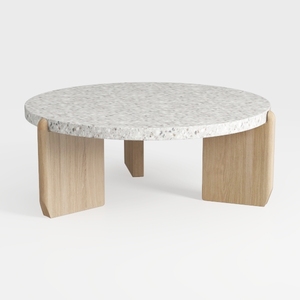
Minimalist Terrazzo Solid Oak Round Coffee Table 3D Model

Minimalist Brown Velvet L Shaped Sectional Sofa 3D Model
Homestyler is your go-to online home design platform! With its easy-to-use design tool, stunning 3D renderings, and abundant DIY video tutorials, you can effortlessly create and visualize your dream home. Transform your space with inspiration and creativity at your fingertips!
تصميم الآن مجانا
































