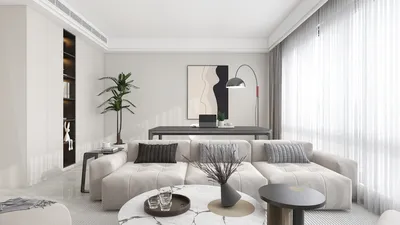


Unity stands out as an exceptionally robust game engine, renowned for its versatility and compatibility with a wide range of 3D models. When embarking on projects in Unity, developers and designers have access to various 3D model formats, including FBX, OBJ, and 3DS. Notable asset platforms like the Unity Asset Store, TurboSquid, and Sketchfab provide a plethora of ready-made models, encompassing everything from characters and vehicles to comprehensive architectural environments. These 3D models can be either static, such as environmental props, or rigged, featuring animated elements. To achieve the best performance, it is crucial to optimize these models for real-time rendering, ensuring well-structured mesh topology and suitable material configurations.
As a designer, selecting the perfect model mirrors the intricacies of spatial planning. The ideal model not only enhances visual aesthetics but also aligns with the functionality and ambiance of your scene. When visualizing interior environments, utilizing pre-existing assets or crafting your own designs through a home designer tool, like Homestyler, can significantly expedite your workflow. This allows you to concentrate on optimizing lighting, textures, and interactivity, culminating in a refined final product.
Tips 1:
Before importing models into Unity, it’s essential to verify the polygon count and UV mapping, as inadequately optimized assets may compromise game performance and lead to rendering glitches.
FAQ
Q: What file formats for 3D models are compatible with Unity?
A: Unity is compatible with formats like FBX, OBJ, 3DS, DAE (Collada), and SketchUp (with conversion). Among these, FBX is the most dependable for maintaining textures and rigging.
Q: Where can I find quality 3D models for Unity projects?
A: Reputable sources for quality models include the Unity Asset Store, TurboSquid, and Sketchfab, which offer both free and paid assets suited for various applications.
Q: How do I optimize 3D models for use in Unity?
A: To optimize, keep polygon counts low, ensure correct UV mapping, utilize efficient textures, and reduce draw calls by merging meshes whenever feasible.
Q: Can I create my own 3D models for Unity?
A: Absolutely! You can design models using software like Blender, Maya, or 3ds Max and then export them—typically in FBX format—for use in Unity.
Q: What are some best practices for using 3D models in game development?
A: Organizing your assets, adhering to naming conventions, utilizing prefabs, and rigorously testing models within your target platform settings are essential practices for optimal performance and visual fidelity.
Q: How can I visualize architectural spaces effectively in Unity?
A: Utilizing a home designer platform, such as Homestyler, can facilitate the sourcing or creation of customizable room layouts that are compatible with Unity, thereby simplifying the design-to-visualization workflow.

Minimalist Marble Coffee Table 3D Model
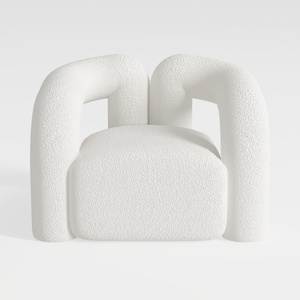
Minimalist Boucle Fabric Armchair Modern Unique Design 3D Model
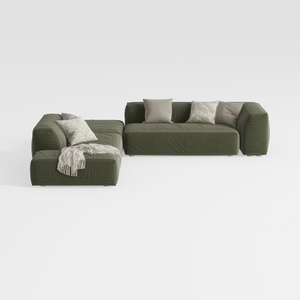
Minimalist Modern Fabric L Shaped Sectional Sofa with Throw Pillows 3D Model
Discover the creativity of home design with Homestyler! This online platform offers an easy-to-use design tool, stunning 3D renderings, and a wealth of DIY tutorials. Whether you're a novice or a pro, you'll find everything you need to bring your home vision to life.
立即免费设计
































