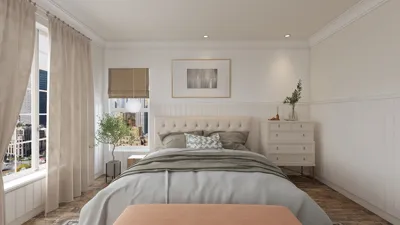


Designing compact spaces can greatly benefit from the use of 3D product environment renders. These visuals not only offer an authentic depiction of your interior designs but also assist in optimizing the available space effectively. By experimenting with diverse styles and setups, you can observe how various components interact seamlessly. Let's explore the advantages of integrating 3D renders into your design workflow.
Advantages of 3D Product Environment Renders
1. **Authentic Visualization**: 3D renders provide realistic images of your design concepts, enabling you to envision how furniture and decor will appear in your space.
2. **Strategic Planning**: With the help of 3D modeling, you can test out various layouts and furniture positions before making any real-world changes.
3. **Improved Marketing**: For both designers and businesses, high-quality renders can enhance marketing strategies, drawing in potential clients with captivating visuals.
Steps to Create Impactful 3D Renders
To generate effective 3D product environment renders, you should follow a series of steps:
1. **Select the Right Software**: Opt for professional programs such as Homestyler, SketchUp, or Blender to craft your 3D models.
2. **Utilize Realistic Materials**: Incorporate textures and finishes that closely replicate actual materials, enhancing the overall realism of your renders.
3. **Pay Attention to Lighting**: Proper lighting can significantly impact your render's effectiveness. Use both natural and artificial light to add depth and dimension.
Suggestions for Implementing 3D Renders in Small Space Design
In small areas, choosing versatile furniture is essential. 3D renders facilitate the visualization of items that serve dual purposes, combining storage and seating to optimize functionality.
Think about open designs that encourage flow and the perception of space. Utilizing 3D modeling allows for experimenting with different layouts to discover the configuration that best matches your lifestyle.
Envision built-in cabinets and concealed storage solutions through 3D renders. This approach can aid in making well-informed choices regarding the most effective storage options for your area.
Common Questions
A: Leading software options include Homestyler, SketchUp, and Blender, with each providing distinct features beneficial for 3D modeling.
A: Choose a color palette that harmonizes and aligns with the atmosphere you wish to establish. Consider the psychological impacts of colors in your design approach.
welcome to Discover Top Home Design Tools
立即免费设计
































