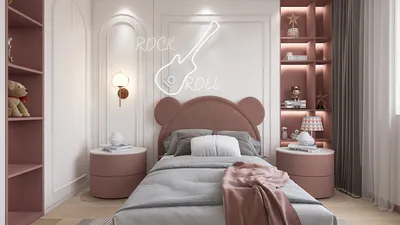


When it comes to presenting your design concepts, utilizing Homestyler as a 3D visualization tool can make a significant impact. With its advanced features, you can produce impressive visualizations that effectively showcase your designs. The secret to achieving outstanding results is to master the platform and familiarize yourself with the fundamentals of video rendering.
Essentials of Rendering with Homestyler
Before delving into the complex details of video rendering, it is important to understand the basic principles of Homestyler's rendering capabilities. This encompasses knowledge of materials, lighting, and camera configurations that greatly affect the final product.
Selecting Optimal Settings for Your Homestyler Project
Rendering with Homestyler necessitates careful attention to numerous settings for achieving a superior-quality video output. Here are some key tips to consider:
Lighting Techniques for Authentic Renderings
Lighting is vital in attaining a realistic appearance in your Homestyler video renderings. It’s beneficial to experiment with various lighting strategies to optimize your results:
Enhancing Visuals with Post-Processing
After completing the rendering, consider leveraging video editing tools for post-processing improvements. This could include color adjustments, adding special effects, or integrating background music to enhance the overall viewing experience.
In Conclusion
By adopting the right methods and techniques, Homestyler can become an indispensable tool in your design arsenal. Mastering the basics, fine-tuning your settings, focusing on lighting, and engaging in post-processing allows you to craft stunning videos that effectively demonstrate your design talent.
Frequently Asked Questions
Q: What is the best renderer to use in Homestyler for architectural presentations? A: The rendering engine provided by Homestyler is highly regarded for its quality output and realistic rendering features specifically designed for architectural visualization.
Q: How can I enhance rendering speed within Homestyler? A: You can improve efficiency by minimizing polygon counts, utilizing lower resolution textures, and implementing effective lighting arrangements within your project.
Q: Is animation rendering feasible in Homestyler? A: Yes, Homestyler supports animation rendering, allowing you to set keyframes and adjust animation trajectories within your environment.
Welcome to the Leading Home Design Software
Concevez maintenant gratuitement
































