

Indeed, transitioning a video from landscape (horizontal) to portrait (vertical) orientation is achievable with a range of video editing software. Contemporary video editors—like Adobe Premiere Pro, Final Cut Pro, and DaVinci Resolve, as well as various mobile applications—enable users to rotate, crop, or reframe videos to suit their preferred aspect ratio. Typically, the process includes rotating the video by 90 degrees for a straightforward orientation flip or cropping and resizing it to ensure the essential elements fit within a vertical format, usually 9:16, which is perfect for social media. It’s important to note that extensive cropping might be necessary, potentially impacting your video’s visual quality and composition.
As a professional in interior design, I frequently encounter the need to adapt visual materials for diverse platforms, whether it's showcasing my design portfolio on Instagram Reels or crafting engaging visuals for client presentations. I encourage a focus on visual balance and flow during video reformatting: similar to arranging furniture in a living room, it’s crucial to keep the primary focus centered and harmonious following the conversion. When editing walkthroughs of spaces or before-and-after reveals, utilizing tools that allow for dynamic visualization can enhance the presentation of transformations and spatial arrangements. Leveraging interactive design resources, such as Homestyler for room planning, can significantly enrich how you display your projects.
Tips for Video Editing:
- Utilize high-resolution source footage to reduce quality degradation when cropping. - Center your main subject strategically to ensure visibility after the video conversion. - Always preview the finished product on your intended platform to avoid awkward cuts or lost details.
Frequently Asked Questions
Q: Which software options are available for changing video orientation?
A: Well-known choices include Adobe Premiere Pro, Final Cut Pro, DaVinci Resolve, along with various free mobile tools like InShot or CapCut.
Q: Will converting from landscape to portrait trim parts of my video?
A: Yes, changing from landscape to portrait typically results in cropping from the sides of your video. Thus, it’s best to locate key content at the center whenever possible.
Q: Is it possible to automate this video orientation process?
A: Certain AI-driven video editing applications and social media management tools provide automated cropping features or ‘smart reframing’, which facilitates the process, although manual adjustments are frequently required for optimal outcomes.
Q: What aspect ratio is most suitable for portrait videos?
A: The predominant portrait aspect ratio is 9:16, which occupies the full screen of smartphones and aligns with formats for platforms like TikTok, Instagram Stories, and YouTube Shorts.
Q: How does changing video orientation impact video quality?
A: Cropping and resizing can lead to a reduction in effective resolution or the elimination of important details. Therefore, always start with high-quality footage and meticulously check the framing before finalizing your export.
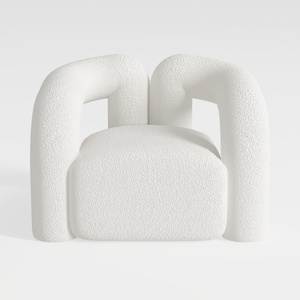
Minimalist Boucle Fabric Armchair Modern Unique Design 3D Model

DUOMAY Modern Boucle Dining Chairs Set of 2,

Looking to revamp your home? Homestyler is your go-to online design platform! With its user-friendly design tool, stunning 3D renderings, and a plethora of inspiring design projects and video tutorials, it empowers you to turn your vision into reality effortlessly. Start creating today!
Дизайн сейчас бесплатно
































