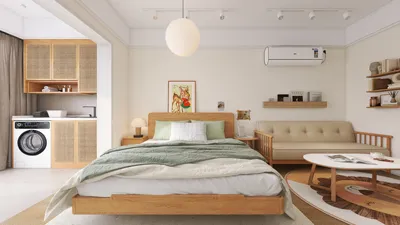


Creating UV maps for your 3D models is crucial to achieving lifelike textures. This guide will delve into practical strategies and insights for crafting UVs that enhance your 3D design projects utilizing Homestyler.
Understanding UV Mapping:
UV mapping refers to the technique of projecting a two-dimensional image onto the surface of a three-dimensional model. This process ensures that your textures align correctly when wrapped around the model. So, how do we tackle this challenge? Let's take a closer look.
To begin, grasp the fundamental concept: UV coordinates act as a bridge between the 3D surface and its 2D representation. These coordinates dictate how textures are applied across your mesh. What difficulties have you encountered in UV mapping so far?
Steps to Create UV Maps:
1. Select Your 3D Model: Launch your 3D design software and pick the object you want to map. Ensure it has a clean geometry with well-organized topology for optimal outcomes.
2. Unwrap the Model: Access the unwrapping feature in your software. Most 3D tools, such as Blender or Maya, come equipped with built-in unwrapping capabilities. Keep in mind that the method you choose for unwrapping can impact texture quality. Do you favor automatic unwrapping, or do you lean towards more manual control?
Tips for Effective UV Mapping:
- Strategically Utilize Seams: The positioning of seams can greatly influence the final appearance of your texture. It's best to avoid placing seams in visible spaces.
- Optimize Texture Space: Arrange your UV islands thoughtfully to make the most of the texture space available. This will help minimize any texture stretching and enhance the overall quality of the texture.
Advanced Techniques for UV Mapping:
3. Test and Refine: Once your initial UV mapping is complete, apply your texture and look for any potential issues. If you detect stretching or misalignments, revisit your UV islands for necessary adjustments.
4. Use Texture Painting: Occasionally, painting directly onto the 3D model can aid in visualizing how your textures will look. This approach can help guide adjustments to your UV layout as needed.
Comparative Analysis of UV Mapping Software:
When selecting software for UV mapping, assess factors like user-friendliness, features, and seamless integration into your workflow. For example, Homestyler is recognized for its intuitive design environment, while Blender is celebrated for its extensive capabilities and zero-cost accessibility. Maya, on the other hand, is widely utilized professionally due to its comprehensive toolset.
FAQ
Q: Which software is available for UV mapping?A: Common choices include Blender, Maya, 3ds Max, and Cinema 4D, each providing different UV mapping functionalities.
Q: How can I address texture stretching problems?A: Improve your UV layout and ensure accurate seam placement; normalizing the UV islands can also help mitigate this issue.
Q: How might I optimize my UV layout?A: Ensure your UV islands are packed tightly and efficiently, leaving minimal empty space while preventing overlaps.

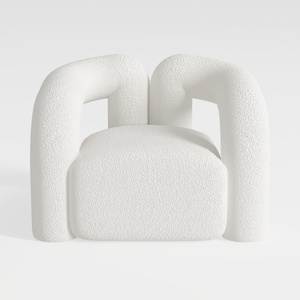
Minimalist Boucle Fabric Armchair Modern Unique Design 3D Model
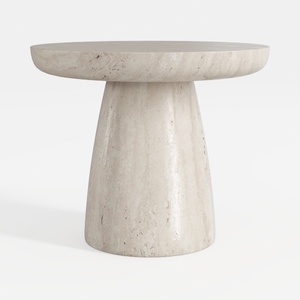
Minimalist Travertine Round Side Table 3D Model
Homestyler is your go-to online home design platform. With its user-friendly design tool, stunning 3D renderings, and a wealth of inspiring design projects and DIY video tutorials, you can effortlessly create and visualize your dream home. Start designing today!
立即免费设计
































