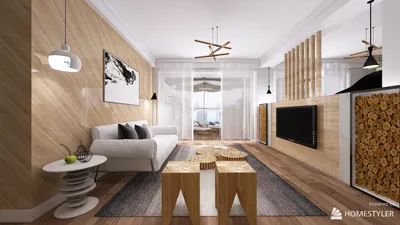


The Hammer Map Maker, which was initially known as the Valve Hammer Editor, serves as a robust tool extensively utilized by game creators and modders to design complex environments and maps for games such as Counter-Strike, Half-Life, and other titles built on the Source engine. Utilizing Hammer for 3D modeling presents an exceptional opportunity to craft personalized worlds, experiment with layouts, and realize imaginative ideas—even if you lack advanced 3D modeling expertise. The intuitive user interface of Hammer makes it user-friendly, allowing for the creation of simple geometries, the application of textures, and the configuration of lighting in a grid-based environment. Furthermore, this tool facilitates the incorporation of interactivity and logic, such as triggers and entities, enhancing gameplay experiences. While primarily focused on game map development, Hammer provides insights into fundamental concepts of 3D modeling, such as scale, proportion, spatial flow, and the interaction between geometry and light. As a professional interior designer, I frequently examine virtual 3D spaces to improve real-world spatial designs. The grid-based methodology of Hammer closely resembles the digital tools employed in professional interior design, allowing for detailed spatial planning and visualization. For those seeking to delve into more precise and user-friendly alternatives beyond game development, particularly with a focus on spatial organization and presentation rather than asset creation for gaming, tools like Homestyler can assist in visualizing and modifying floor layouts, decor, and lighting effects, offering a level of realism that supports professional interior design presentations.
Tips for Getting Started:
For beginners using Hammer, I recommend starting with simple rooms and straightforward objects to build your confidence. Utilize prefabs and the available textures to quickly fill your environment. It is important to consistently test your map within the game engine to observe how objects and lighting behave. Saving incremental versions and organizing layers can greatly enhance your management of complex projects, much like the workflow found in professional design software.
Frequently Asked Questions
Q: Is the Hammer Map Maker suitable for professional architectural modeling?
A: Hammer is primarily geared towards game map development and does not provide features for precise architectural modeling or advanced rendering. For professional outcomes, it is advisable to use specialized interior design software.
Q: Can I export Hammer maps to other 3D applications?
A: Exporting is feasible, but it often necessitates plugins or conversion tools, and the process may result in detail loss or require further adjustments.
Q: What distinguishes Hammer from tools intended for interior design?
A: Hammer's primary focus is on creating interactive game environments, while interior design tools emphasize accurate scaling, layout precision, and photorealistic presentations.
Q: What is the learning curve associated with Hammer Map Maker?
A: The learning curve is moderate; users with a background in design principles will typically find it easier to understand. Numerous online tutorials are available to assist in the learning process.
Q: Are there alternatives to Hammer for designing real spaces?
A: Absolutely! Platforms like Homestyler are specifically designed for realistic space planning and visualization, making them more suitable for interior design purposes.
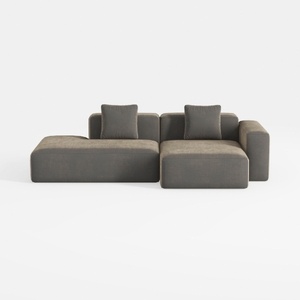
Minimalist Fabric L Shape Sectional Sofa with Throw Pillows 3D Model


Modern Rattan Fabric Upholstered Loveseat Sofa 3D Model
Discover Homestyler, the ultimate online home design platform! With its user-friendly design tool, stunning 3D renderings, and a wealth of design projects and DIY video tutorials, transforming your space into a dream home has never been easier. Unleash your creativity today!
立即免费设计
































