


The 'Dimangular' command in AutoCAD refers to the Angular Dimension, which is utilized to indicate the angle between two lines. In interior design and drafting, angle annotations are critical for accurately conveying the angular relationships between elements. With the Dimangular tool, users can rapidly obtain clear and distinct angle annotations by clicking on two intersecting lines or by inputting the center point and endpoints of arcs or circles. Proper application of angle dimensions aids in ensuring design accuracy, enhances the professionalism of design documents, and facilitates team collaboration. For interior designers, particularly when planning space for complex areas, furniture arrangements, or custom components, the Angular Dimension offers essential data support for precise implementation.
Tips 1:
As an interior designer, I've found that effectively leveraging tools such as the angle dimension feature in AutoCAD can significantly boost productivity. However, if you're looking to drastically reduce your drawing and modeling time, why not explore some 3D floor planning tools? These applications integrate smart dimensions, automatic annotations, and visualization design, enabling you to swiftly realize your spatial concepts. One such tool you might consider is Homestyler, which simplifies many aspects of interior design and helps create stunning layouts effortlessly.
FAQ
Q: What is the Dimangular command in AutoCAD?
A: The Dimangular command is used to measure and annotate the angle between two lines in AutoCAD, specifically for design drawings that require precise expression of angular relationships.
Q: How do you use the Dimangular command in AutoCAD to annotate an angle?
A: After entering the DIMANGULAR command, select the two lines you wish to annotate, or select the center of a circle and the endpoints of an arc. The system will automatically generate the angle annotation for you.
Q: How does Dimangular differ from other annotation commands?
A: Dimangular focuses specifically on angular annotations, while other commands like Dimlinear and Dimaligned are used for linear and aligned annotations, respectively, serving different applications.
Q: Which AutoCAD annotation commands are commonly used in interior design?
A: Commonly used commands include Dimlinear (linear dimension), Dimaligned (aligned dimension), Dimradius (radius dimension), Dimdiameter (diameter dimension), and Dimangular (angle dimension).
Q: Can you use Dimangular in a 3D space?
A: Yes, AutoCAD allows the use of the Dimangular command in 3D model views, but you must ensure the view settings are correctly adjusted to accurately select the elements you wish to annotate.

Minimalist Glass Top Solid Wood Base Irregular Coffee Table 3D Model
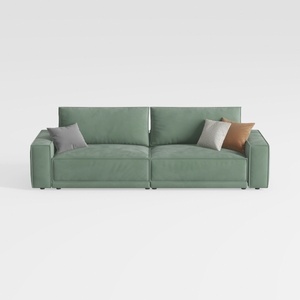
Minimalist Sage Green Fabric Sofa with Decorative Throw Pillows 3D Model

Discover the ease of home design with Homestyler! This innovative online platform offers a user-friendly design tool, stunning 3D renderings, and a wealth of DIY video tutorials. Whether you're redecorating or starting from scratch, Homestyler inspires and empowers your creativity to transform any space effortlessly.
Design Now for FREE
































