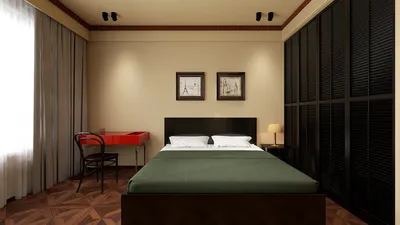


Creating a stunning 3D model of a dodecahedron—a geometric form with twelve regular pentagonal faces—offers both educational benefits and visual appeal. Whether your aim is to craft a school project, enhance your interior decor, or delve into the world of 3D modeling software, mastering the process will yield impressive and precise results with tools such as Homestyler.
Step 1: Grasp the Geometry
Begin by understanding the composition of the dodecahedron. This shape consists of 12 faces, 20 vertices, and 30 edges, with each face being a perfect pentagon. Accurate measurements and symmetry are crucial for successful modeling.
Step 2: Select Your Approach
You can opt to create your dodecahedron either physically—from materials like paper or cardboard—or digitally by employing 3D modeling software.
Step 3: Building a Physical Model
1. Obtain a Template: Look online for printable dodecahedron nets, which are flat designs that can be transformed into a 3D object once cut and folded.
2. Print the Net: For the best outcome, utilize sturdy paper or lightweight cardboard.
3. Cut and Fold: Carefully trim along the designated edges and score the fold lines for neatness.
4. Assemble: Use glue or double-sided tape to secure the tabs, ultimately shaping your dodecahedron.
Step 4: Crafting a Digital 3D Model
1. Utilize 3D Software: Programs like Blender, Tinkercad, or Homestyler prove to be excellent choices for modeling.
2. Construct with Primitives: Some software includes a predefined dodecahedron as a primitive shape; alternatively, create one by defining twelve pentagonal faces and aligning them accurately.
3. Refine and Export: Make necessary adjustments to the vertices and faces for precision, then export your work as an STL file suitable for 3D printing or rendering.
As a designer, I advocate using digital tools for enhanced accuracy and flexibility. A 3D Floor Planner not only allows you to construct geometric models like dodecahedrons but also facilitates their incorporation into interior design settings, making your designs both practical and aesthetically pleasing.
Tips 1:
If your intention is to utilize the dodecahedron as a decorative element, consider painting or applying finishes that harmonize with your room's existing style. Additionally, play with different sizes—larger versions can act as bold statement pieces, while smaller models can be grouped for a more intricate touch.
FAQ
Q: What materials work best for constructing a physical dodecahedron?
A: Sturdy cardstock, lightweight cardboard, or thick paper provides a good balance of durability and ease of cutting and folding.
Q: Is it possible to 3D print a dodecahedron?
A: Absolutely! After creating your model in 3D software, you can export it as an STL file and use a standard 3D printer to bring it to life.
Q: Which 3D modeling software is best suited for beginners looking to create geometric shapes?
A: Tinkercad is an intuitive and powerful tool that simplifies the process of modeling shapes like dodecahedrons for newcomers.
Q: How can I guarantee accuracy in my dodecahedron model?
A: For physical models, use printable nets; for digital creations, utilize the built-in geometry tools available in your software to ensure precision.
Q: Are there pre-made 3D dodecahedron models available for download?
A: Yes, numerous online platforms provide downloadable 3D dodecahedron models for printing or altering, but ensure you verify the terms of use before proceeding.


Homestyler is your go-to online home design platform, perfect for anyone looking to revamp their living space. Its user-friendly design tool, stunning 3D rendering, and rich collection of DIY video tutorials make it easy to visualize and create your dream home effortlessly.
Progetta ora GRATIS
































