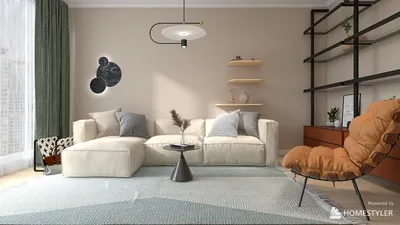


Crafting textured materials for your 3D models can significantly transform your design, taking it from good to exceptional. In this article, we will explore techniques to develop realistic textures that can enhance the visual appeal of your creations. Are you ready to get started?
Understanding Textures and Materials
Textures play a vital role in 3D modeling by adding intricate details to the surfaces of models. They can mimic the look of various surfaces such as wood, metal, or textiles. It is essential to distinguish between texture and material: texture refers to the visual patterns applied to a surface, while materials determine how these surfaces interact with light.
Step 1: Selecting the Appropriate Software
To achieve beautiful textures, choosing the right software is crucial. Applications such as Blender, 3ds Max, or Homestyler are equipped with powerful features tailored for texture development. When picking software, consider the specific requirements of your project along with your proficiency in using the tool.
Step 2: Creating Your Texture Images
Texture images can be obtained from online sources or created entirely from scratch. For distinctive textures, utilize high-resolution photographs or directly paint textures with software like Photoshop. Keep in mind, the quality of your texture's resolution will impact the final rendering; generally, higher resolutions yield better results.
Step 3: Applying Textures to 3D Models
After preparing your texture images, the next step is to import them into your 3D modeling software. Most applications enable you to apply textures seamlessly by selecting the model, going to the material editor, and assigning your textures accordingly.
Step 4: Tuning Texture Settings
Once textures have been applied, the next step is to fine-tune the material settings, which include bump levels, specularity, and reflectivity. These configurations are critical for achieving a realistic look, allowing the textures to integrate smoothly with the model. Don't hesitate to experiment with various parameters to reach your desired appearance.
Step 5: Employing UV Mapping for Optimal Results
Grasping UV mapping techniques is essential to ensure precise application of your textures. UV mapping involves flattening the 3D model's surface to guarantee that textures fit accurately. This stage is crucial for detailed designs, especially on intricate shapes.
Step 6: Rendering Your Model
After applying and adjusting your textures, it's time to set your model for rendering. Ensure that all lighting and camera configurations are optimized to highlight your textures effectively. High-quality renderings will showcase the intricacies of your textures, enhancing the final output of your work.
FAQ
Q: What is the best approach for texturing a 3D model? A: The optimal strategy is to integrate UV mapping with high-resolution texture images to capture accurate detail.
Q: Is it possible to create textures without advanced software? A: Absolutely, there are numerous online tools available for basic texture creation, though utilizing advanced software will typically produce superior quality outcomes.
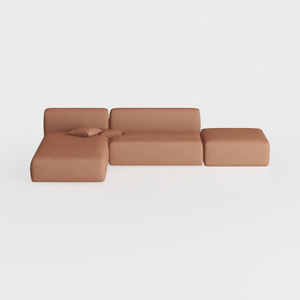
Minimalist Brown Fabric Modular Sectional Sofa 3D Model
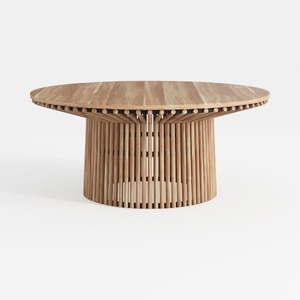

Merax Outdoor Dining Table 47.25" Round Extra
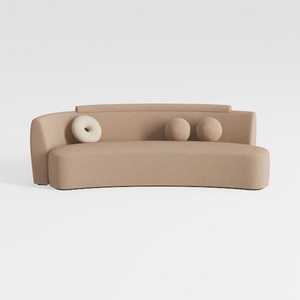
Yozma Curved Chenille Sectional Sofa Beige, Dual D
Homestyler is your go-to platform for effortless home design! With its user-friendly online tool, stunning 3D renderings, and a wealth of design projects and DIY video tutorials, you can transform your space and unleash your creativity—no prior experience needed!
立即免费设计
































