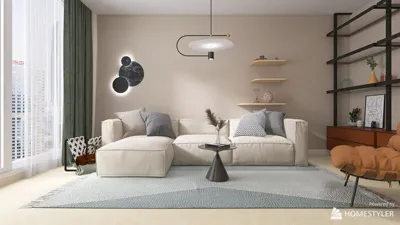


Is symmetry a key aspect of your 3D model? The significance often hinges on the design's objective and style. A design that boasts symmetry usually communicates a sense of harmony and balance, enhancing its visual allure. In this guide, we'll delve into methods to evaluate symmetry in your 3D models, enabling you to craft impressive projects using tools like Homestyler for optimal results.
Understanding Symmetry in 3D Models
Before we explore techniques for examining symmetry, let’s clarify what it entails. Symmetry refers to a condition where one half of a model reflects the other. This is vital for products aimed at commercial markets, where visual attractiveness is crucial. By using sophisticated design platforms, you can effortlessly visualize symmetry. Many options, including Homestyler, now feature integrated symmetry tools that facilitate efficient checking and adjustments, thereby improving your design workflow.
While symmetry enhances visual appeal, it can also influence the model's structural strength and functionality based on its intended application. Recognizing this dual role is essential for effective design.
Steps to Evaluate Symmetry
To evaluate the symmetry of your 3D model, adhere to these comprehensive steps:
1. **Utilize the Mirror Tool**: Almost all 3D design software includes a mirror feature. Activate this tool to instantly check whether both halves of your model are congruent, allowing for immediate adjustments as necessary.
2. **Incorporate a Grid Overlay**: Introduce a grid or guide to your workspace. This visual aid will help you to determine if the elements on both sides align correctly, ensuring accuracy in your design process.
3. **Verify Key Metrics**: Diligently assess the important dimensions on both sides of your model. Confirm that heights, widths, and depths are equivalent, guaranteeing a genuinely symmetrical model that meets professional standards.
Common Issues in Maintaining Symmetry
During the design phase, it's easy to lose sight of symmetry, particularly in complex and detailed models. Some frequent challenges include:
- Over-complicating designs, where one side is altered distinctly more than the other, resulting in a loss of visual harmony.
- Neglecting to apply modifications evenly across both sides of the model, leading to discrepancies that compromise the overall design quality.
Tips for Improving Model Symmetry
- Consistently make use of symmetry tools throughout the modeling process to avert any potential asymmetries from emerging.
- Think about utilizing reference sketches or images to keep a clear vision of your model’s desired symmetry throughout your design journey.
FAQ
Q: How can I address asymmetrical features in my 3D model? A: You can either 1) make manual adjustments with precision or 2) employ the mirror tool to replicate the symmetrical counterpart, ensuring consistency throughout your design.
Q: Which software can assist with symmetry checks? A: Most 3D modeling applications like Blender, Maya, or Homestyler offer built-in tools for symmetry verification and simple adjustments.
Q: Is symmetry always essential? A: Not necessarily; while symmetry contributes to aesthetic appeal, numerous designs thrive on intentional asymmetry that adds to their distinctiveness and charm.

Natural Green Vine Wall Panel Decorative 3D Model

DUOMAY Modern Boucle Dining Chairs Set of 2,
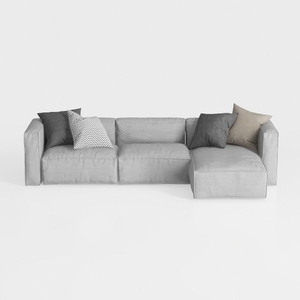
Minimalist Light Gray Fabric L Shaped Sectional Sofa 3D Model
Homestyler is an amazing online home design platform that empowers you to transform your space effortlessly. With its user-friendly design tool, stunning 3D renderings, and helpful DIY video tutorials, you can unleash your creativity and bring any design project to life in no time!
Design jetzt kostenlos
































