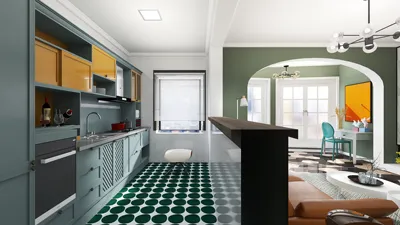


Creating photorealistic interior designs using SketchUp can remarkably enhance your design presentations. Whether your project involves a snug apartment or a large office, producing realistic visuals is key to effectively communicating your concepts. In this guide, we will delve into essential techniques and tools that can refine your rendering abilities. Additionally, incorporating Homestyler into your workflow will provide valuable support to transform your designs.
Comprehending Rendering Fundamentals
Before embarking on the rendering journey, it’s essential to grasp the concept of rendering. This process generates a 2D image from your 3D model by mimicking how light interacts with various surfaces. A solid understanding of materials, lighting, and camera configurations is vital. Here are some core principles to consider:
Selecting an Appropriate Rendering Plugin
Although SketchUp has limited rendering features, numerous designers prefer to utilize plugins. Below are some well-regarded rendering plugins:
Preparing Your SketchUp Model for Rendering
For photorealistic outcomes, meticulous preparation of your SketchUp model is crucial. Here are steps to ensure optimal setup:
Rendering Approaches for Realism
With your model ready, it’s the ideal time to concentrate on effective rendering methods:
Final Adjustments
After rendering your image, carefully examine it for any adjustments that may be needed. Focus on details such as shadows, reflections, and the overall atmosphere. A finely rendered interior design image can effectively convey your vision and assist clients in visualizing the space. Integrating Homestyler can also add another layer of sophistication to your designs.
Conclusion
Achieving photorealistic interior designs in SketchUp demands consistent practice and exploration. By mastering the basic principles, selecting suitable tools, and employing effective techniques, you can produce impressive visuals that animate your designs, with the help of software like Homestyler to further elevate your work.
FAQ
Q: Can SketchUp generate photorealistic images? A: Yes, by utilizing the right plugins and methodologies, SketchUp can deliver photorealistic renders.
Q: Which rendering plugin is the most effective for SketchUp? A: V-Ray comes highly recommended for its comprehensive features and exceptional results.
Welcome to the Leading Home Design Software
Design Now for FREE
































