

Creating precise, production-ready Printed Circuit Boards (PCBs) heavily relies on the essential functionality of 3D modeling in KiCad. This feature empowers designers and engineers to visualize PCBs in three dimensions, which not only aids in verifying mechanical fits but also facilitates better communication among team members and helps identify design flaws before manufacturing takes place. KiCad encompasses key components that bolster its 3D modeling capabilities, effectively bridging the gap between schematic design and physical manifestation.
Footprints and 3D Models — Each component utilized in KiCad comes with a footprint that outlines its physical characteristics on the PCB. By connecting every footprint to an appropriate 3D model, saved in formats like .wrl, .obj, or .step, designers can gain a detailed preview of the finished assembly. They have the option to import custom 3D models or those provided by manufacturers when necessary, enhancing the design's accuracy.
3D Viewer — The integrated 3D viewer in KiCad allows real-time rendering and interaction with the PCB. Users can rotate, zoom, and analyze the board from various angles, ensuring thorough inspection of details such as silk screens, solder masks, board cutouts, and component standoffs, offering an accurate depiction of the design.
Board Outline & Mechanical Layers — The outline of the board is a critical modeling component that establishes the physical limits of the PCB. Additionally, mechanical layers enable the addition of placement guides, mounting holes, and crucial non-electrical features necessary for ensuring proper enclosure fit and manufacturability checks.
Model Alignment & Scaling — Ensuring that component models are appropriately scaled and aligned with their corresponding footprints is vital. KiCad provides tools for adjusting translation, rotation, and scaling, which help guarantee that the virtual models correspond to real-world components, thus avoiding unexpected clearance issues during assembly.
Export and Collaboration — After modeling the PCB and its components, KiCad facilitates exports in standard formats, like STEP, for further mechanical integration. This feature is especially beneficial when working alongside mechanical engineers or conducting assembly simulations with more advanced applications, including tools like Homestyler, which aids in interior design workflows.
As a designer, I highly advocate for incorporating 3D modeling into your schematic-to-layout workflow. This practice guarantees that your end product is both visually appealing and physically accurate, minimizes costly errors, and impresses stakeholders with professional-grade visualization. For those seeking to enhance their project's realism and functionality, utilizing a 3D rendering home approach, such as through tools like Homestyler, can be a game-changer, aiding not only in electronics but extending also to design and architecture.
Tips 1:
Continuously update your component libraries with verified 3D models to maintain accuracy in your PCB’s visualization and production processes. Take advantage of models provided by manufacturers whenever you can, and always use the 3D viewer for a comprehensive preview prior to finalizing designs for manufacturing.
FAQ
Q: What file formats for 3D models does KiCad support?
A: KiCad is compatible with .wrl, .obj, and .step formats for 3D component models.
Q: How can I link a custom 3D model to a footprint in KiCad?
A: You can assign a 3D model in the footprint editor by inputting the file path under the '3D Settings' tab for that specific footprint.
Q: Why is 3D modeling important in PCB design?
A: It aids in identifying clearance issues, verifying fit within enclosures, and visualizing the assembly before production, thereby reducing errors and avoiding costly revisions.
Q: Can I export my KiCad PCB design to use in other 3D software?
A: Yes, exporting your project in STEP format allows integration with various mechanical CAD tools.
Q: What steps should I take if a manufacturer doesn’t supply a 3D model for a component?
A: Consider creating your own 3D model utilizing applications like FreeCAD, or look for suitable representations in community libraries.


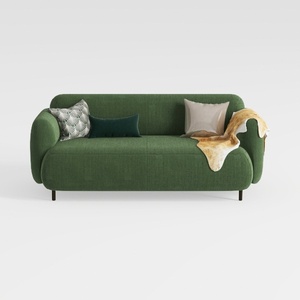
Minimalist Dark Green Fabric Loveseat Sofa with Decorative Pillows 3D Model

Minimalist Fabric Loveseat Sofa with Black Metal Legs 3D Model
Discover the joys of home design with Homestyler! This user-friendly platform offers an intuitive online design tool, stunning 3D rendering capabilities, and a wealth of design projects and video tutorials. Transform your ideas into reality effortlessly and bring your dream home to life!
立即免费设计
































