


Adding outlines to your 3D models can significantly elevate your design, providing depth and attracting attention. Whether you're crafting an interior layout or designing a custom piece of furniture, outlines serve to define shapes and enhance visual appeal, making them an essential tool in your design arsenal, especially with Homestyler.
Let's begin by understanding the significance of outlines. They direct viewers' focus towards specific aspects of your creation, acting as visual markers that highlight textures or details. In this guide, I'll take you through crucial steps to efficiently add outlines to your 3D models.
Getting Started with 3D Modeling Software
Before you start the outlining process, it's vital to become acquainted with your chosen 3D modeling software. Most platforms, including Homestyler, SketchUp, and Blender, provide tools for creating outlines, such as edge rendering or stroke features. Mastering these tools is essential for producing impactful designs.
Ensure your 3D model is constructed correctly. Complex textures or elements might struggle to render clear outlines if the base isn't solid enough. Sometimes, simplifying your model can lead to better outline outcomes.
Step-by-Step Guide to Creating Outlines
Now for the fun part! Here's how to effectively create outlines:
1. **Select Your Model:** Start by picking the 3D object you wish to outline. Most software, including Homestyler, provides selection tools to facilitate this.
2. **Locate the Outline Function:** Explore the rendering or effects menu to find options for applying outlines. In platforms like Blender, you can activate 'Freestyle Lines' to highlight specific edges.
3. **Customize Outline Parameters:** Adjust the thickness, hue, and style of your outlines. This customization helps maintain your design's integrated look while ensuring outlines stand out.
Effective Outlining Tips
Here are some practical suggestions:
- **Play with Thickness:** Finding the right thickness is crucial—too thick can appear cartoonish while too thin may not be visible enough. Strike a balance that complements your design.
- **Choose Contrasting Colors:** Using a bright outline on a dark model, or vice versa, can make your design visually striking and easier to interpret.
Enhancing 3D Models with Outlines
Adding outlines not only sharpens the aesthetic quality of your designs but also enhances user interaction. By drawing attention to important areas, you effectively guide users through the primary features of your project.
Outlining serves a semantic function as well, helping users to grasp the hierarchy and importance of various components. Additionally, by skillfully utilizing layers, you can create a captivating interplay of depth and surface that draws in your audience.
Considerations for Outlining
While outlining is a potent technique, it’s crucial to consider your project's overall aesthetic. Ensure that your outlines complement the design language and style you wish to convey. It may be beneficial to gather feedback from peers or potential users to assess whether the outlines enhance your work.
As you get more comfortable with your software, you'll likely discover innovative methods to integrate outlines into your workflow, making them a vital part of your 3D modeling strategy, especially in tools like Homestyler.
Frequently Asked Questions
Q: Can I outline several objects at the same time? A: Absolutely, most programs allow you to select multiple objects and apply outlining effects simultaneously.
Q: Will the addition of outlines affect rendering speed? A: While there may be a slight increase in rendering time, the visual advantages usually justify this adjustment.
Q: Are there optimal practices for selecting outline colors? A: Certainly, choosing colors that represent the material characteristics or intended mood of your design will improve overall aesthetic harmony.
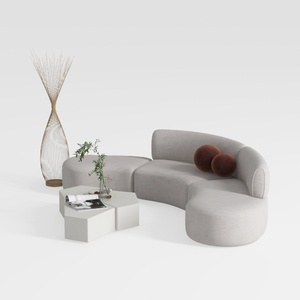
Minimalist Fabric Curved Sectional Sofa 3D Model
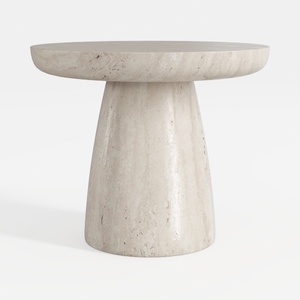
Minimalist Travertine Round Side Table 3D Model
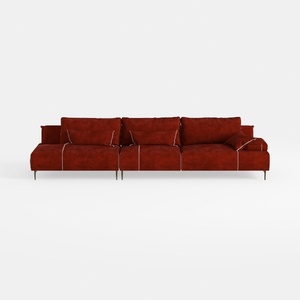

Modern Burgundy Velvet L Shaped Sectional Sofa 3D Model
Discover Homestyler, your go-to online home design platform! With its intuitive design tool, stunning 3D renderings, diverse design projects, and helpful DIY video tutorials, you can effortlessly create your dream space—no prior experience needed. Transform your home today!
Design Now for FREE
































