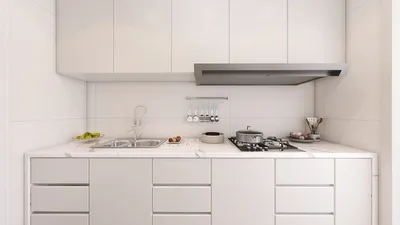


The landscape of online 3D rendering has transformed how designers conceptualize and produce visuals, allowing them to manifest their creative visions with remarkable detail and accuracy. Whether you are an avid interior designer, an architect, or simply a design aficionado, acquiring skills in 3D rendering can significantly enhance your portfolio and presentation quality. This article will delve into premier online 3D rendering tools, effective methods, and practical tips to assist you in achieving extraordinary visuals.
Comprehending Online 3D Rendering
Online 3D rendering encompasses the technique of generating a two-dimensional image from a three-dimensional model through the use of specialized software. This method enables designers to replicate real-world elements like lighting, textures, and materials to produce lifelike visuals. The advantages of online rendering feature accessibility, collaborative potential, and immediate feedback.
Leading Online 3D Rendering Platforms
Blender stands out as a comprehensive and free 3D creation suite that covers the entire spectrum of 3D production, from modeling to final rendering. Its robust Cycles rendering engine delivers high-quality and realistic outputs and accommodates GPU rendering for enhanced performance.
SketchUp is celebrated for its intuitive interface, making it an excellent choice for novices. The software offers a variety of rendering plugins such as V-Ray and Enscape, which significantly augment its functionality.
Homestyler is a specialized online 3D rendering application tailored for interior design projects. It features an extensive collection of furniture and decor options, allowing users to craft photorealistic representations of spatial designs effortlessly.
Strategies for Successful 3D Rendering
Achieving realistic renders hinges on effective lighting. Implement natural light sources and fine-tune both the intensity and angle of artificial lights to create the desired atmosphere.
Selecting appropriate textures and materials is vital for enhancing the realism of your renderings. Opt for high-resolution textures and consider material characteristics such as reflectivity and surface texture.
Experimenting with various camera angles can reveal the most appealing perspectives of your design. A strategically placed camera can spotlight essential features and enhance visual engagement.
Frequently Asked Questions
A: Choosing the best tool is subjective and depends on your specific requirements, but popular options among designers include Blender, SketchUp, and Homestyler.
A: The time taken for rendering varies based on scene complexity and quality settings, typically ranging from several minutes to multiple hours.
Discover the power of Homestyler, one of the leading home design software options available today.
Design jetzt kostenlos
































