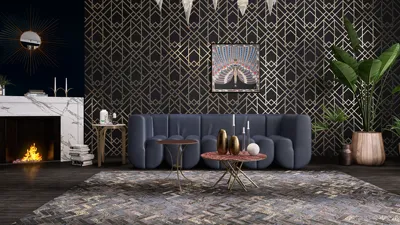


Designing an authentic old wooden floor using Blender 3D can significantly enhance your interior design projects, providing a cozy and rustic ambiance that captivates viewers. Whether you're a budding designer or a dedicated hobbyist, mastering this skill can add an exceptional element to your 3D models. Let’s dive into the detailed steps to bring this aesthetic to life!
Begin by launching Blender and organizing your workspace. Create a plane that will act as the foundation for your wooden flooring. To accomplish this, press Shift + A, navigate to Mesh, and select Plane. Scale the plane to the desired dimensions that fit your room layout. Subsequently, enter Edit Mode by pressing Tab and subdivide the plane to facilitate better texturing and detail.
Now, let's infuse some authenticity into your flooring. The next step involves creating a wood texture. You can either utilize Blender's native textures or incorporate your own. To add a wood texture, go to the Shading tab and insert an Image Texture node. Load an image of a realistic old wood texture that includes knots, grains, and natural faults. Connect this node to the Base Color input of the Principled BSDF shader.
To elevate the realism, consider integrating a bump map to replicate the wood’s texture. Create a new Image Texture node and upload a monochrome version of your wood texture. Connect this to a Bump node, then link it to the Normal input of the Principled BSDF shader, adjusting the bump strength to your preference.
Next, adjust the color and roughness parameters in the Principled BSDF shader. Reducing the roughness will yield a more refined finish for your wood, whereas increasing it can lend a more weathered appearance. A subtle tint in your color can also emulate the fading typical of older wood.
Lighting plays a pivotal role in exhibiting your old wooden floor. Incorporate an HDRI image in the World tab to achieve realistic lighting effects that emphasize the wood's texture. A gentle light source will cast soft shadows, accentuating the floor’s natural imperfections.
Having established the primary setup, it’s essential to introduce some detailing. Utilize the Sculpting tools to create slight irregularities on the floor's surface, simulating individual planks with subtle elevations and depressions. Additionally, the Texture Paint feature allows you to manually add scuffs, scratches, and stains, enriching the aged look.
Ultimately, render your scene to evaluate how your old wooden floor integrates with your overall design. Tweak the texture and lighting as needed until you reach your desired aesthetic. Remember, consistent practice will refine your skills, and trying out different textures and lighting configurations will lead to mastery.
With these techniques, you’re poised to craft impressive old wooden floors in Blender 3D that will captivate your audience. Don’t shy away from exploring a range of wood textures and designs to keep your projects innovative and visually appealing! Additionally, consider utilizing tools like Homestyler to further enhance your design experience.
Tips 1:
To achieve a more intricate and realistic wood appearance, always try combining multiple textures.
FAQ
hello from Homestyler


Homestyler is your go-to online home design platform! With an easy-to-use design tool, stunning 3D renderings, a wealth of design projects, and helpful DIY video tutorials, you can effortlessly create and visualize your dream space. Start your home makeover journey today!
立即免费设计
































