

Editing a 3D model in the OBJ format might appear challenging at first, but with the right tools and techniques, it can quickly become manageable. Have you considered how minor tweaks can dramatically change your design's appearance? This guide will delve into the process of effectively editing OBJ files using innovative tools like Homestyler, allowing you to fully realize your creative vision!
Familiarizing Yourself with the Right Tools
The initial step in editing an OBJ file is selecting appropriate software. Various programs cater to a range of skill levels and editing requirements, including advanced options like Blender and Autodesk Maya, as well as more beginner-friendly platforms such as Tinkercad. Have you determined which program aligns best with your project needs? The choice of software significantly influences your editing journey, from the user interface to the variety of available features.
After selecting your software, it’s important to get accustomed to its interface. Knowing where to locate essential tools can streamline your editing experience. Which features do you believe are essential for your editing process—mesh manipulation, color customization, or texture application? Understanding the potential of your chosen software is crucial for unlocking your full editing capabilities.
Importing and Adjusting Your OBJ File
Begin by uploading your OBJ file into the software of your choice. Most applications will feature an 'Import' option within the file menu. Once your model appears in the workspace, you can start making edits. Think about the modifications you wish to implement: are you resizing the model, changing its shape, or adding new textures? Each of these changes can drastically influence the visual impact of your design.
For mesh alterations, utilize tools for scaling, rotating, or translating the model. While different software may refer to these functions with various terms, they generally offer similar capabilities. Have you pondered how these adjustments could transform your overall design? Each modification can introduce a unique aesthetic or functionality to your model, enhancing both its distinctive appearance and practical use.
Exporting Your Updated Model
Once you’ve completed all your desired adjustments, it’s time to export your revised model. Most software will include an 'Export' option, enabling you to save your file in multiple formats, including OBJ again. It’s crucial to review all settings to preserve your model’s quality. Which formats do you plan to use to ensure compatibility with other software? Keeping your model in the OBJ format could be advantageous for future edits and compatibility with platforms like Homestyler.
Frequently Asked Questions
Q: What exactly is an OBJ file? A: An OBJ file is a 3D model file format that encompasses data regarding the geometry and texture of a 3D object.
Q: Can any 3D software edit an OBJ file? A: Absolutely, OBJ files are widely compatible across a broad spectrum of 3D modeling software, making them an excellent choice for editing.
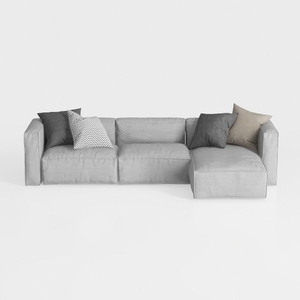
Minimalist Light Gray Fabric L Shaped Sectional Sofa 3D Model


coffee table
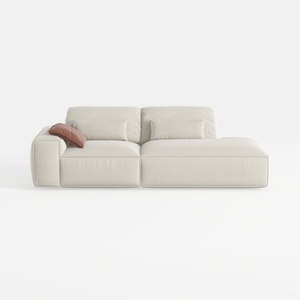
Minimalist Beige Fabric L-shaped Chaise Sofa 3D Model
Discover Homestyler, your go-to online home design platform! With its user-friendly design tool, stunning 3D renderings, and a wealth of DIY video tutorials, you can effortlessly turn your design dreams into reality. Explore, create, and inspire your ideal home today!
Design Now for FREE
































