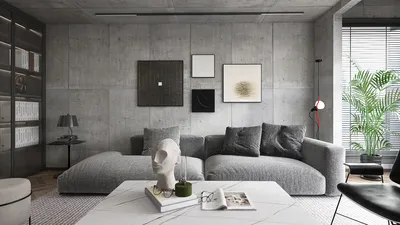


Incorporating metallic elements into a 3D model using Blender significantly boosts its realism and visual interest, whether you're focused on architectural components, furniture accents, or decorative edges. Start by ensuring that your model has clean geometry and is UV-unwrapped. For detailed metallic edges or accents, harness Blender’s powerful mesh modeling capabilities—such as utilizing the Bevel or Subdivision Surface modifiers—to create defined, accurate edges that mimic real metals. Add further detail with sculpting techniques if necessary, and designate a distinct material slot for your metal shader.
To craft lifelike metal appearances, leverage Blender's Principled BSDF shader by setting the 'Metallic' parameter to 1.0, while fine-tuning 'Roughness' to influence the metal's sheen—lower roughness results in a shinier finish. Enhance surface intricacies by integrating image textures or procedural maps, such as those simulating scratches or noise, into the roughness or normal slots to replicate finishes like brushed aluminum or antiqued brass. Referring to images can aid in adjusting color, reflectivity, and surface flaws for a more authentic outcome. Ultimately, positioning appropriate HDRI lighting or reflective materials will amplify the metallic look, ensuring that details stand out in your renders.
From a design standpoint, achieving realistic material finishes is equally as important as the overall structure of the model. Many interior design endeavors necessitate thorough planning and visualization before moving forward. Utilizing platforms like Homestyler aids this process—enabling you to render your Blender models with authentic metal details in real-life contexts, share options seamlessly with stakeholders, and quickly iterate on material decisions.
Tips 1:
Always opt for high-resolution textures and create materials according to real-world dimensions. Introducing subtle imperfections—such as fingerprints and smudges—onto metallic surfaces can greatly enhance photorealism. Use the Cycles rendering engine and apply filmic color management for improved lighting dynamics and metal reflections.
FAQ
Q: Can Blender effectively create realistic metal textures in architectural visualizations?
A: Definitely. Blender’s Principled BSDF shader is adept at emulating metals like chrome, stainless steel, and bronze, which are essential for architectural detailing.
Q: What texture maps are most effective for enhancing metal details?
A: Employ normal maps for surface texture, roughness maps for varied reflectivity, and ambient occlusion maps for subtle shadows to increase realism.
Q: Does the lighting environment influence the appearance of metal in renders?
A: Yes, lighting plays a critical role. Because metals are highly reflective, utilizing suitable HDRI or area lighting can significantly enhance their appearance and realism.
Q: Should I model intricate metal details or simply use bump maps?
A: While bump and normal maps can be efficient for very fine details, modeling the actual geometry is preferable for distinct edges or trims to achieve the best results.
Q: What is the optimal format for sharing my models that feature detailed metal elements?
A: The .blend format is recommended for complete project files, whereas .fbx or .obj formats are suitable for geometry—be sure to export texture files alongside for maximum compatibility across rendering platforms.
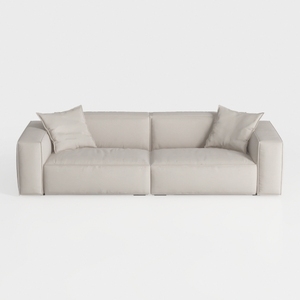
Minimalist Beige Fabric Modern Sofa with Throw Pillows 3D Model
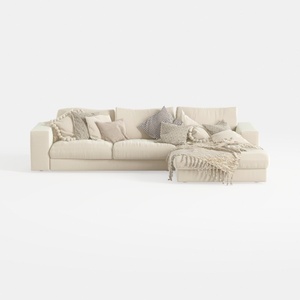
Minimalist Beige Fabric L Shaped Sectional Sofa with Throw Pillows 3D Model

Natural Live Edge Solid Walnut Coffee Table Top 3D Model
Homestyler is the ultimate online home design platform that empowers you to create stunning spaces effortlessly. With its user-friendly design tool, impressive 3D renderings, and a wealth of DIY video tutorials, transforming your home has never been easier or more inspiring!
Design Now for FREE
































