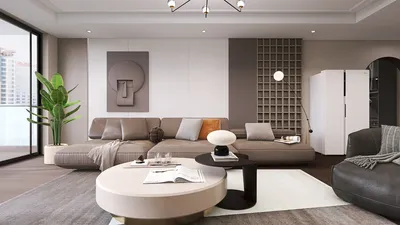


Crafting low poly 3D models using Blender is both a creative endeavor and a technical discipline, making it perfect for video games, stylized animations, and interactive applications due to their lightweight characteristics. Start by establishing your workspace: launch Blender and select a fundamental shape such as a cube or plane. In Edit Mode, take advantage of features like Extrude (E), Loop Cut (Ctrl+R), and Knife (K) for enhancing geometry and defining your model. Aim to keep the polygon count low to achieve that signature 'faceted' appearance—steer clear of smoothing and pay attention to how each vertex you introduce influences the overall design. Employ modifiers such as Mirror and Array to expedite the modeling process for symmetrical or repeated elements. After finalizing the shape, apply basic materials, favoring solid colors over high-resolution textures to uphold the low poly style. As a designer, I understand the significance of visual coherence in 3D spaces; utilizing supportive tools, like the 3D floor planner Homestyler, can streamline your workflow by enabling you to visualize and arrange low poly assets within more extensive design landscapes.
Suggestions:
Emphasize distinct silhouettes and striking shapes rather than intricate details. This enhances the visual clarity and impact of your model, particularly when viewed from afar or employed in real-time settings.
Frequently Asked Questions
Q: What defines a low poly model?
A: A low poly model is a 3D object designed with a limited number of polygons, ensuring simplicity and lightness—ideal for video games and interactive media.
Q: Which Blender features are essential for low poly modeling?
A: Important features include Extrude, Loop Cut, Knife, and modifiers such as Mirror and Array that facilitate rapid construction and duplication of geometry.
Q: How can I maintain a low poly style in my models?
A: Keep details minimal, refrain from using subdivision, and focus on broader shapes along with clean silhouettes instead of complex geometries.
Q: What types of materials are suitable for low poly models?
A: Opt for flat colors or solid shaders instead of intricate textures; this choice helps preserve the stylized, geometric aesthetic.
Q: Are low poly models applicable in professional design workflows?
A: Certainly—low poly models are extremely useful for real-time applications and can be seamlessly integrated into scenes using planning tools like Homestyler for enhanced visualization.


If you're looking to redesign your space, Homestyler is a must-try! This online platform offers a user-friendly design tool, stunning 3D renderings, inspiring design projects, and helpful video tutorials. It's perfect for bringing your home design visions to life, regardless of your experience level!
立即免费设计
































