


Developing a light 3D model is crucial for interior designers aiming to elevate their visual presentations. A meticulously crafted light model can significantly enhance your design, enabling clients to better visualize the ultimate outcome.
Grasping the Fundamentals of Light 3D Modeling:
When embarking on your journey in 3D modeling for lighting, it's imperative to familiarize yourself with the characteristics of light and the various tools at your disposal. Software like Blender or Homestyler can be utilized to create intricate models, each offering unique features tailored to specific requirements.
1. First and foremost, choose a 3D modeling software that aligns with your expertise. For novices, Homestyler could be a more user-friendly option when compared to Blender’s complex capabilities.
2. Organize your workspace in the software effectively. Ensure your scene is accurately arranged, with careful consideration of dimensions and proportions to achieve precision in the final output.
Procedures to Construct Your Light 3D Model:
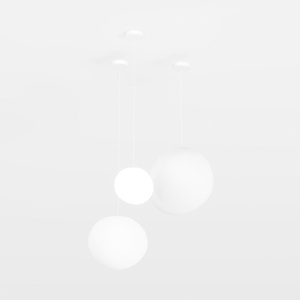
1. Begin by crafting the fundamental shape of your light fixture. Depending on your design vision, you might opt for basic shapes like cylinders or spheres. Utilize highlighting features for improved visualization during this stage.
2. Refine these shapes to incorporate details that truly represent your light's form. Focus on aspects such as curvature, edges, and the overall configuration. Attention to these elements will enhance the realism of your model.
3. Apply appropriate materials and textures to your light model for a polished finish. Consider the environment in which it will reside; different materials react to light in various ways, affecting how your model is perceived under varying conditions.
Completing Your Model:
Once your light model is finalized, reflect on its interaction with other components in your design. Lighting is pivotal in amplifying other design features, so be sure to experiment with diverse placements and settings to attain the desired aesthetic effect.
Following your final adjustments, render your model. This procedure is vital for effectively showcasing your ideas to clients or team members.
Frequently Asked Questions
Q: Which software is optimal for 3D light modeling? A: Well-known choices include Homestyler for beginners and Blender for those seeking advanced tools.
Q: What strategies can I employ to enhance the realism of my light model? A: Concentrate on details such as shape proportions, textures, and how light interacts with different materials.
Strategies for Improved 3D Light Modeling:
1. Always refer to reference images while designing your model to ensure accuracy and realism.
2. Experiment with lighting effects and settings within your software to discover the ambiance that your fixtures create.
3. Think about adding shadows and reflections to impart depth and dimension to your models. Skillful use of these elements can greatly elevate the visual impact of your presentation.



Homestyler is an outstanding online home design platform that empowers you to create stunning interiors effortlessly. With an intuitive design tool, impressive 3D renderings, a plethora of design projects, and helpful DIY video tutorials, you can transform your ideas into reality and inspire your creativity!
立即免费设计
































