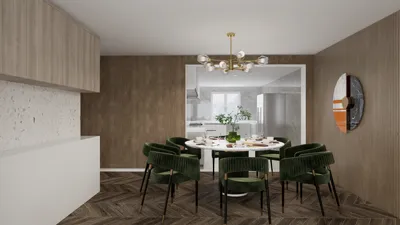


Crafting an exquisite 4K living room render using Homestyler is a blend of artistic flair and technical expertise. With the right tools and methods, you can convert your concepts into an eye-catching 3D visual. Regardless of whether you are an experienced interior designer or simply a hobbyist, this guide will assist you in mastering the art of rendering a lifelike living room space with Homestyler.
The Essentials of Homestyler
Before jumping into the rendering journey, it is crucial to grasp the fundamentals of Homestyler. Get acquainted with the user interface, tools, and features available in Homestyler, as this foundational knowledge is vital for your rendering project.
Configuring Your Living Room Scene
1. Layout Planning: Kickstart your design by planning the layout of your living room. Utilize a floor plan as a blueprint to create structural elements such as walls, windows, and doors in Homestyler.
2. Furniture Selection: Choose furniture pieces that align with your design genre. Consider opting for versatile furniture options especially suitable for compact spaces.
3. Illumination Arrangement: Effective lighting is key to achieving realism. Experiment with various light types, including ambient, directional, and spotlights, to establish depth and mood within the scene.
Textures and Materials
1. Material Application: Employ top-notch materials to boost the realism of your render. Focus on the texture and finish of each surface for a polished look.
2. UV Mapping Techniques: Proper UV mapping will ensure accurate texture application, preventing distortion and enhancing material realism in Homestyler.
4K Rendering Settings
1. Set Resolution: Configure your render settings to a resolution of 3840 x 2160 pixels to achieve stunning 4K clarity.
2. Select Render Engine: Pick a suitable render engine to fulfill your requirements; V-Ray and Arnold are exceptional choices known for delivering high-quality results.
3. Tweak Render Quality: Adjust the quality settings to find the optimal balance between visual fidelity and rendering time.
Final Enhancements
Once your rendering process has concluded, consider utilizing post-processing tools like Adobe Photoshop or Lightroom to elevate colors, contrast, and sharpness, adding that final touch to your living room render.
In Summary
Creating a 4K living room render with Homestyler is a fulfilling experience that reflects your design prowess. By adhering to the outlined steps in this guidance, you can produce breathtaking visuals that vividly bring your interior design visions to reality.
Frequently Asked Questions
Welcome to the leading home design software available. Homestyler is your go-to tool for realizing your creative vision.
Design Now for FREE
































