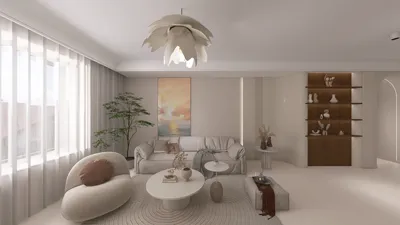


Crafting an isometric 3D room model may appear challenging initially, but with appropriate techniques and tools, it transforms into an enjoyable and fulfilling task. Isometric design provides a distinctive viewpoint that breathes life into your spaces while ensuring a neat and organized look. Let's explore how to embark on your journey into isometric 3D room modeling!
Comprehending Isometric Perspective:
Before diving into modeling, it's crucial to grasp the essence of isometric perspective. Unlike conventional 3D designs, isometric illustrations keep a steady scale without any distortion, allowing all three dimensions to coexist simultaneously. This approach is frequently utilized in video games and architectural layouts, rendering it both aesthetically pleasing and straightforward to grasp.
To effectively create an isometric room, your first step should involve establishing your working environment. Opt for modeling software that enables 3D design— Homestyler is an excellent option thanks to its intuitive interface and powerful capabilities.
Establishing Your Workspace:
After selecting your software, begin by configuring the grid settings tailored for isometric drawing. Most 3D modeling platforms offer features to adjust the grid to an isometric scale. This configuration will assist in shaping your designs and spacing as you develop your room.
Next, draft a basic blueprint of your room layout. Contemplate the essential furniture pieces, walls, and doors. A preliminary sketch will provide a better understanding of how all elements will fit together within the isometric perspective.
Constructing Walls and Floors:
Commence by building the floor of your room. Utilize basic shapes to outline the room's perimeter. For the walls, draw vertical structures, ensuring that you adhere to consistent angles that align with the isometric grid. This adherence is what elevates a professional isometric model beyond a basic version.
Once the walls are complete, infuse textures and colors to animate your design. Keep the color scheme cohesive and appropriate for the type of room—whether it’s a welcoming living room, a spirited office, or a serene bedroom.
Adding Furniture and Decorative Elements:
Now it’s time to introduce furniture! Start with the larger pieces like sofas, tables, and beds, ensuring they are proportionate to your isometric measurements. After positioning these, layer in smaller decorative items such as rugs, bookshelves, and plants, ensuring every addition adheres to the isometric perspective.
Think about using multifunctional furniture, particularly if you are working on a compact space—this saves space and improves overall functionality.
Final Adjustments and Rendering:
With everything set up, it’s time to scrutinize your model. Check for overlapping elements and confirm that all items align with your isometric grid. Tweak the lighting to establish the desired atmosphere—effective lighting will elevate the depth and character of your room model.
Ultimately, render your model to witness how it materializes in an isometric view. The rendering process reveals shadows, textures, and the overall composition of your design, culminating your vision in a breathtaking realization.
Frequently Asked Questions
A: Software such as Homestyler, SketchUp, and Blender are well-regarded for crafting isometric 3D models, thanks to their versatile tools and features.
A: Integrating aspects like textures, shadows, and varied color palettes can substantially enhance the authenticity of your isometric room design.


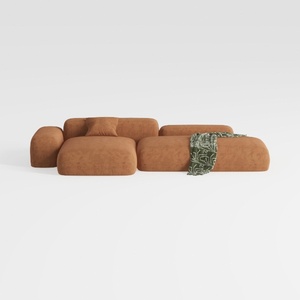
Minimalist Brown Fabric Modular Sectional Sofa 3D Model

Minimalist Fabric Curved Sofa With Throw Pillow 3D Model
Discover Homestyler, the ultimate online home design platform! With its user-friendly design tool, stunning 3D renderings, and a wealth of inspiring design projects and video tutorials, you're empowered to bring your home vision to life, effortlessly and creatively.
立即免费设计
































