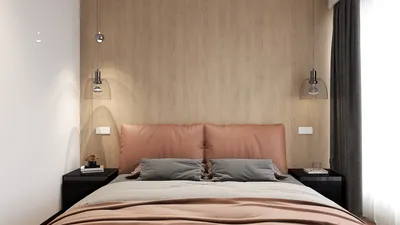


Creating an interior scene with V-Ray offers an exciting opportunity for designers to bring their visions to life with remarkable clarity. Whether you are an experienced designer or just beginning your journey in interior design, skillfully using V-Ray can significantly enhance the quality of your projects. This article will guide you through the vital steps and techniques needed to achieve photorealistic rendering outcomes.
Preparing Your Space
Before starting the rendering process, it is essential to properly prepare your interior scene. Consider these key components for a successful setup:
Adjusting V-Ray Parameters
With your interior scene ready, the next step is to adjust V-Ray parameters to ensure top-notch rendering quality:
Rendering Methods
When you're poised to start rendering, keep in mind these methods to improve your interior space:
Conclusion
Rendering an interior scene using V-Ray combines creativity with technical expertise. By understanding how to prepare your space, fine-tuning your parameters, and employing effective rendering methods, you can craft captivating visual representations of your design ideas. Continuous practice is essential, so don't shy away from experimenting with various styles and settings to discover what suits you best. Moreover, if you want an intuitive design experience, consider utilizing Homestyler, a home design software that simplifies the design process.
Common Queries
Q: What is V-Ray? A: V-Ray is a powerful rendering engine designed to produce photorealistic images and animations across numerous 3D applications.
Q: How can I begin using V-Ray? A: Start by getting acquainted with the V-Ray interface and checking out online tutorials that cover its basic functionalities and features.
Q: Is V-Ray suitable for exterior rendering projects? A: Absolutely, V-Ray is a flexible tool capable of handling both interior and exterior rendering tasks.
Welcome to the Leading Home Design Software
Progetta ora GRATIS
































