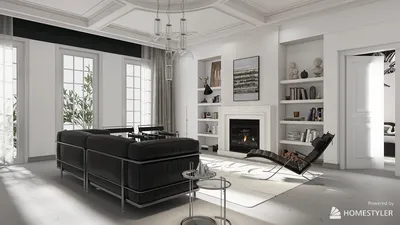


Mastering interior perspective rendering is fundamental for any interior designer eager to bring their concepts to fruition, particularly within small spaces. By crafting lifelike and captivating visualizations, designers can successfully convey their visions and aid clients in imagining the finished product. This article delves into various strategies and advice for excelling at interior perspective rendering with the help of tools like Homestyler.
Grasping Perspective in Interior Design
Before starting the rendering journey, it’s vital to comprehend the idea of perspective. In interior design, perspective serves to establish depth and dimensionality in drawings and renderings. The two main forms of perspective are one-point and two-point perspective.
In a one-point perspective, all lines converge at a solitary vanishing point on the horizon. This method is often applied to spaces observed head-on, such as corridors or rooms.
Conversely, two-point perspective employs two vanishing points along the horizon line. This technique is ideal for illustrating corners and offering a more dynamic representation of a space.
Key Tools for Interior Perspective Rendering
To create remarkable interior perspective renderings, utilizing specific tools and software can dramatically improve your workflow. Here are some favored solutions, including Homestyler:
Techniques for Impactful Interior Rendering
Here are several strategies to elevate your skills in interior perspective rendering:
Lighting is crucial in establishing the mood and ambiance of a space. Try out various light sources—both natural light from windows and artificial lighting—to observe how they influence the overall aesthetic of your rendering.
A firm grasp of color theory can assist you in choosing an appropriate color scheme for your interiors. Employ complementary colors to foster harmony and contrast, resulting in more dynamic and inviting renderings.
Integrating lifelike textures and materials will amplify the realism of your renderings. Pay close attention to how diverse materials reflect light and interact with each other, especially when using Homestyler.
Advice for Rendering Small Spaces
When designing for compact spaces, keep in mind the following tips to maximize visual allure:
Frequently Asked Questions
Q: Which software is ideal for interior perspective rendering? A: Popular choices include SketchUp, AutoCAD, 3ds Max, and Homestyler for user-friendly interfaces and features.
Q: How can I enhance the realism of my renderings? A: Concentrate on lighting, texture, and color theory to improve the authenticity of your visualizations.
Q: What advantages does interior perspective rendering offer? A: It aids clients in visualizing designs, facilitates effective communication of ideas, and enables modifications before execution.
Welcome to the premier home design software that empowers your creativity!
立即免费设计
































