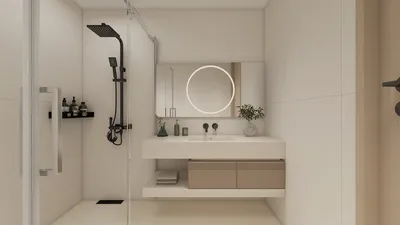


In the realm of interior rendering, Homestyler has emerged as a remarkable tool that effectively transforms designs into vivid realities. Whether you are an established designer or just starting out, mastering Homestyler for interior rendering can greatly enhance your projects. The cornerstone of effective rendering is comprehending the software's offerings and leveraging them to craft stunning, lifelike spaces.
Getting Started with Homestyler for Interior Rendering
Before delving into the nuances of rendering, it's vital to familiarize yourself with the basics. Homestyler offers a flexible platform for modeling and rendering, making it ideal for diverse design endeavors. Here are some essential steps to help you begin:
Get to know the Homestyler interface. Understanding the layout of tools and how to access various functions will make your workflow more efficient.
Start by designing your interior layout. Use precise measurements and ensure that your plan accurately represents the intended space. Include elements such as walls, floors, and furniture to create a holistic view of the room.
Enhancing Your Renderings with Homestyler
Once you've established your foundational scene, it's time to elevate it for a more realistic effect. Here are some strategies to consider:
Lighting plays a crucial role in interior rendering. Experiment with diverse light sources, including natural sunlight and artificial lighting, to add depth and atmosphere to your space.
Selecting appropriate materials is vital. Utilize Homestyler’s expansive material library or design custom materials that capture the textures and finishes you envision. Pay close attention to how these materials react with light for a more genuine aesthetic.
Finalizing Your Render in Homestyler
After refining your scene with lighting and materials, you can move on to the rendering phase. Here’s how to wrap up your project:
Tailor your render settings based on the required output. Adjusting settings higher will improve quality, though it may extend processing time.
Once rendering is complete, consider employing software such as Photoshop for post-processing. This step enables you to apply final adjustments, such as enhancing colors and adding effects, to further elevate your visuals.
FAQ
Q: What essential skills are required for interior rendering using Homestyler?A: Fundamental skills include familiarity with Homestyler’s interface, adept lighting techniques, and material selection.
Q: Is it possible to use Homestyler for both 2D and 3D rendering?A: Absolutely, Homestyler accommodates both 2D and 3D renderings, enhancing its versatility for various design applications.
Q: Which plugins can boost my rendering performance in Homestyler?A: Plugins such as V-Ray and Enscape can greatly improve rendering quality and operational efficiency.
Welcome to the top home design software, Homestyler!
Concevez maintenant gratuitement
































