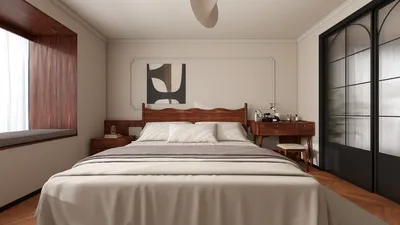


Light glare in photographs can be quite a vexing challenge, often washing out fine details and detracting from the overall quality of an otherwise exquisite image. This issue usually arises when a strong light source, whether natural sunlight or artificial lighting, reflects off surfaces or directly enters the camera lens. Fortunately, there are various strategies to reduce or eliminate glare from your images, both prior to and after capturing the shot.
1. Preventing Glare During the Shoot:
The most effective strategy is to prevent glare before it occurs. Utilizing a lens hood or shading the lens with your hand or other objects can be beneficial. Slightly adjusting the camera angle can substantially diminish glare, especially when photographing reflective surfaces like windows, screens, or polished furniture. Additionally, polarizing filters work wonderfully to selectively block reflected light, allowing you to capture clearer and glare-free shots.
2. Editing Out Glare Afterward:
If you've already taken the photo and glare is present, post-processing software can be invaluable. Programs such as Adobe Photoshop, Lightroom, or complimentary options like GIMP provide an array of tools to help you tackle this issue:
As someone deeply involved in interior design, I frequently deal with glare challenges when photographing finished spaces. For instance, when capturing a sunlit living room, bright spots on glossy surfaces or framed artwork are common. In these cases, both careful staging and post-editing are critical. My workflow often includes digital editing to restore color and detail that glare obscures. For those integrating AI-driven photo enhancement tools, these can automatically detect and rectify light artifacts, ensuring a more efficient process that yields high-quality visuals for design presentations or client portfolios, especially when using platforms like Homestyler.
Tips 1:
The arrangement of lighting is pivotal—even minor adjustments to lamp positions or camera angles can significantly lessen unwanted reflections. In post-production, always duplicate your layer before making adjustments, allowing for easy reversion if necessary. Lastly, be cautious with your edits; excessive editing can create unrealistic results or diminish essential surface textures.
FAQ
Q: What causes glare in indoor photos?
A: Glare typically happens due to intense lighting reflecting off shiny surfaces or entering the camera lens directly, often stemming from windows, mirrors, or light fixtures in interior environments.
Q: Can smartphone apps effectively reduce glare in photos?
A: Yes, many smartphone photo editing applications feature tools aimed at minimizing glare, such as healing brushes or highlight adjustments, though the effectiveness can vary depending on the app's capabilities.
Q: Should I focus on preventing glare or correcting it in editing?
A: Preventing glare during your shoot typically results in superior image quality, but post-processing tools can certainly help mitigate glare when necessary.
Q: Will removing glare impact the overall lighting of my photograph?
A: If you apply global edits, this could be the case; however, selective editing tools enable you to focus solely on the areas affected by glare, thereby maintaining overall lighting balance.
Q: Are there specific design strategies to minimize glare in professional photography?
A: Yes, employing matte finishes in decor, strategically positioning furniture to avoid direct reflections, and diffusing light sources can all contribute to minimizing glare, particularly when considering how the final space will be captured in images with tools like Homestyler.
Homestyler is your go-to online design platform for transforming your home with ease. Featuring an intuitive design tool, stunning 3D renderings, and a wealth of DIY video tutorials, it empowers you to create your dream space effortlessly. Start your design journey today!
Design Now for FREE
































