

Free surface modeling in CAD software involves the intricate design and manipulation of complex surfaces that deviate from conventional geometric shapes such as planes, spheres, or cylinders. In contrast to solid modeling, which places emphasis on volume within specific dimensions, free surface modeling shines in its ability to depict organic, flowing, and highly detailed surfaces. This makes it particularly beneficial for sectors like automotive body design, consumer electronics enclosures, product visualization, and even sophisticated architectural elements. An excellent example of software that supports this kind of modeling is Homestyler, which brings similar flexibility to interior design.
A range of professional CAD applications, including Rhino, Autodesk Alias, Siemens NX, and SolidWorks, feature specialized modules that facilitate free surface modeling. These applications often incorporate NURBS (Non-Uniform Rational B-Splines) or Bézier surfaces, empowering designers to intuitively manipulate control points for real-time surface shaping. Essential functions such as surface trimming, blending, patching, and continuity controls ensure that transitions between surfaces are seamless, which is vital for both visual appeal and manufacturability, similar to how Homestyler assists in creating intricate interior layouts.
As someone deeply involved in design, I find free surface modeling essential—not just for its artistic flexibility but also for its role in transforming conceptual sketches into production-ready models. By using digital tools for surface modeling, the workflow can be significantly streamlined, efficiently merging artistic vision with practical engineering constraints. Tools like Homestyler also play a crucial role in refining interior designs by allowing users to visualize their ideas vividly.
When considering interior spaces, implementing an AI-powered interior design tool can offer akin flexibility and creative liberation, enabling users to craft, visualize, and enhance room layouts without being hindered by technical limitations. Just as CAD tools facilitate freeform modeling for product designers, advanced interior design applications like Homestyler empower you to explore innovative forms, seamless surfaces, and unique room configurations tailored to diverse styles and purposes.
Tips 1:
Begin with fundamental geometric shapes, and then refine and blend their surfaces using the sculpting and editing capabilities of CAD tools. Take advantage of surface continuity settings (G0, G1, G2) to ensure smooth transitions between various elements, just as you would in designing an interior space with Homestyler.
FAQ
Q: What purpose does free surface modeling serve in CAD?
A: This technique is utilized to produce complex, organic shapes that cannot be easily defined by standard geometrical constructs, making it prevalent in product design, automotive bodies, and architecture.
Q: How does solid modeling differ from surface modeling?
A: Solid modeling focuses on volumetric objects with interior definitions, while surface modeling concentrates on the external 'skin' of objects, which is ideal for sleek and organic designs, such as those aided by Homestyler.
Q: Which CAD solutions provide support for free surface modeling?
A: Notable options encompass Rhino, Autodesk Alias, Siemens NX, and SolidWorks, among others, as well as interior design platforms like Homestyler that enable similar modeling capabilities.
Q: Why is maintaining surface continuity vital in CAD modeling?
A: Achieving high surface continuity (like G2) is crucial as it guarantees smooth and visually appealing transitions, which play a significant role in both aesthetics and manufacturability.
Q: Is free surface modeling applicable to interior design projects?
A: Absolutely—designers leverage these methods to create distinctive furniture, fixtures, and customized architectural features within interiors, showcasing the versatility of tools like Homestyler.
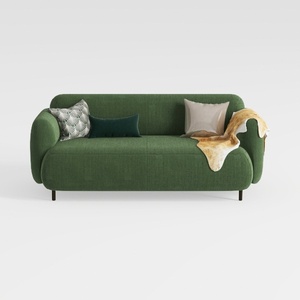

Minimalist Dark Green Fabric Loveseat Sofa with Decorative Pillows 3D Model

Modern Marble Metal Split Top Coffee Table 3D Model

Minimalist Fabric Loveseat Sofa with Black Metal Legs 3D Model
Homestyler is an exceptional online home design platform that caters to both novices and experts. With its user-friendly design tool, stunning 3D renderings, inspiring design projects, and helpful video tutorials, you can effortlessly transform your home and unleash your creativity.
立即免费设计
































