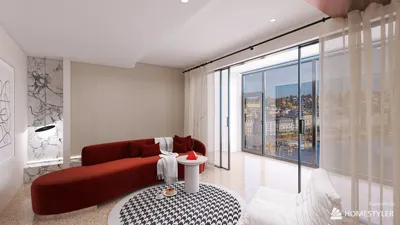


Quick Summary
- Graph paper is instrumental in ensuring accurate scale and proportion for floor plans, with each square corresponding to a specific measurement.
- Establishing a clear scale (for example, one square equals one square foot) facilitates precise, to-scale sketches.
- Digital platforms like Homestyler’s Floor/Room Planner provide advanced capabilities for producing intricate floor plans.
Designing effective floor plans can seem overwhelming, especially when trying to visualize a compact space. Nevertheless, utilizing graph paper can make this task more manageable. It allows you to sketch your concepts to scale for accurate dimensions and improved planning. Whether you're revamping a room or strategizing a new layout, this guide will empower you to leverage graph paper and create impressive floor plans that suit your needs.
Why Use Graph Paper for Floor Plans?
Graph paper serves as an excellent resource for crafting floor plans due to its grid structure, which assists in maintaining both scale and proportion. Each square can symbolize a specific measurement, aiding in visualizing the room dimensions effectively. This approach is not only clear-cut but also facilitates rapid adjustments. Additionally, it’s quite convenient—who doesn’t have a pad of graph paper around?
Steps to Create a Floor Plan on Graph Paper
1. **Measure Your Space:** Begin by measuring the dimensions of the room you want to design. Take into account doors, windows, and any built-in features that could influence your layout.
2. **Determine Scale:** Choose a scale for your drawing. For instance, one square on the graph paper can represent one square foot. Clearly indicate this scale on your paper.
3. **Outline the Room:** With a pencil, sketch the shape of your room on the graph paper. Ensure you include the locations of doors and windows.
4. **Add Furniture:** After outlining your room, start inserting furniture pieces. Consider using additional sheets to create scaled cutouts of your furniture for easy manipulation.
5. **Evaluate the Flow:** Once your furniture is arranged, step back to assess the movement throughout the room. Confirm there’s sufficient space for movement and that the layout feels functional.
Utilizing a floor planner tool can further enhance your design experience. Explore Homestyler’s Floor Planner for a digital approach!
Final Touches and Tips
After finishing your floor plan, consider sharing it with friends or family for feedback. They might provide perspectives that can enhance your design! Remember, adaptability is crucial; don’t hesitate to modify your layout until it feels perfect.
FAQ
Q: Can I use other types of paper?A: Although any type of paper can be utilized, graph paper is highly preferred due to its grid layout, simplifying scale maintenance.
Q: What if I want to create a digital floor plan?A: Digital solutions like Homestyler’s Room Planner offer advanced functionality for formulating detailed floor plans.
Welcome to the Top Floor Plan Creator!
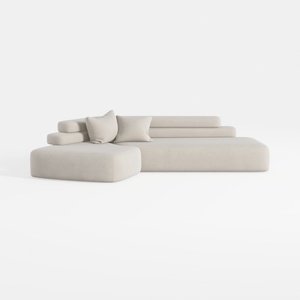
Minimalist Fabric L Shape Sectional Sofa 3D Model

Minimalist Neutral Fabric Irregular Coffee Table 3D Model

Homestyler is an outstanding online home design platform for anyone looking to create beautiful spaces. With its intuitive design tool, stunning 3D renderings, a variety of design projects, and helpful video tutorials, you’ll easily turn your decorating dreams into reality—no expertise needed!
Projete agora para LIVRE
































