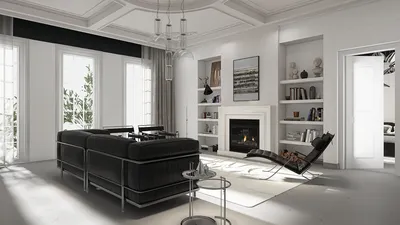


When it comes to effectively showcasing your interior design projects, displaying multiple floor plan layouts on one sheet can make a significant difference. This approach not only provides a holistic view of the space but also allows clients to easily compare various designs. In this discussion, we will delve into different techniques for organizing multiple floor plans, ensuring that they are visually attractive and functional as well.
Selecting the right software is crucial for creating accurate and professional designs. Tools like Homestyler offer an extensive library of furniture models and templates, enabling you to draft your floor plans efficiently. With the capability to produce 3D visualizations and high-quality renders, you can wow your clients with impressive presentations.
A powerful method for organizing multiple floor plans is to employ grids. By segmenting your sheet into distinct sections, you can designate space for each design without creating clutter. Make sure each floor plan is clearly labeled and includes necessary dimensions to improve readability. Different colors or textures for each layout can also assist in distinguishing them, making it easier for viewers to navigate your designs.
Another effective strategy is to include a legend or key that clarifies the symbols utilized in your floor plans. This is especially useful for intricate designs that may feature various components, such as furniture placements, electrical outlets, or plumbing fixtures. By providing clear explanations, you enhance your audience's understanding of the layout.
Furthermore, consider the logical flow of information. Organize the floor plans in a sensible order, perhaps beginning with the most expansive layout and transitioning to the more compact designs. This structure creates a narrative that guides the viewer through your design thought process and evolution.
Don’t overlook the importance of including annotations or notes beside each layout. These notes can emphasize specific features, design choices, or factors that influenced your work. Incorporating these personal insights not only showcases your expertise in interior design but also engages clients by involving them in the design journey.
Finally, ensure you leverage high-quality printing options or suitable digital formats when sharing your designs online. The clarity of your floor plans is vital for making a lasting impression, so investing in quality materials can truly pay off.
Tips 1:
Always verify your measurements before finalizing any floor plan. Accuracy is essential for successful interior design!
FAQ
1. How can I create multiple floor plans on one sheet? You can use design software that supports layered layouts, allowing you to efficiently arrange various floor plans. 2. What software is recommended for creating floor plans? Homestyler is an excellent option due to its extensive library and user-friendly interface. 3. Should I include dimensions on my floor plans? Yes, dimensions are essential for clarity and understanding. 4. Can I utilize color coding for different layouts? Definitely! Color coding helps distinguish between designs and enhances visual interest.
welcome to Homestyler

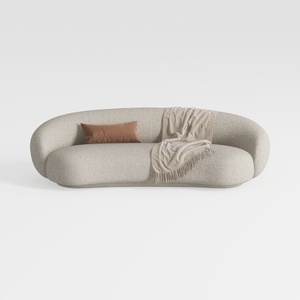

Minimalist Boucle Fabric Curved Sofa With Throw Pillow And Blanket 3D Model
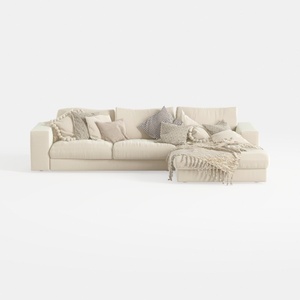
Minimalist Beige Fabric L Shaped Sectional Sofa with Throw Pillows 3D Model
Looking to transform your home? Try Homestyler! This fantastic online platform offers a user-friendly design tool, stunning 3D renderings, and a wealth of DIY video tutorials. Whether you're a novice or an experienced designer, Homestyler helps you create your dream space with ease and inspiration.
Design Now for FREE
































