


Designing the ideal floor plan for your area can often seem overwhelming, but there's no need to worry! With the right floor plan creator, the process of importing a plan is straightforward and effortless. Whether you are an established interior designer or simply a DIY supporter, mastering the import of your floor plan is essential for bringing your design concepts to life.
Understanding the Process of Floor Plan Importing
When utilizing a floor plan creator, the importation of your existing designs can be a significant time-saver and can greatly improve your overall design experience. You can kick off this process by scanning your hand-drawn sketch or utilizing digital formats such as PDF, JPG, or PNG. Most contemporary tools facilitate easy uploads, enabling you to concentrate on your creative endeavors rather than beginning with a blank canvas.
Steps to Import Your Floor Plan with Homestyler
1. Select an Appropriate Tool: Opt for a floor plan creator like Homestyler, which includes robust importing capabilities and user-friendly features.
2. Upload Your Design: Take advantage of the import functionality to bring in your scanned or digital floor plan. Accurate dimensions are crucial for achieving optimal results, so double-check your measurements.
3. Modify and Personalize: After your plan has been imported, you can tweak, incorporate, or eliminate elements to align with your vision. Play around with various layouts and styles until you reach the outcome you desire.
The Advantages of Using a Floor Plan Creator
Employing a floor plan creator not only streamlines your design workflow but also provides increased flexibility in your planning process. It aids in visualizing how your chosen furniture and décor will fit within your space. Moreover, the ability to import existing designs enhances efficiency and sparks your creativity. Ultimately, it’s all about showcasing your unique style in your surroundings!
Frequently Asked Questions
What file formats can I import with Homestyler?
Most floor plan creators, including Homestyler, support formats like PDF, JPG, and PNG. Always verify the specific requirements of the tool you are using to ensure compatibility.
Can I make changes to my imported floor plan?
Absolutely! Once your floor plan has been imported, you have the flexibility to adjust the layout, relocate elements, and customize it to match your design preferences.
Welcome to the Top-Rated Floor Plan Creator!


Minimalist Black Solid Wood Irregular Coffee Table 3D Model
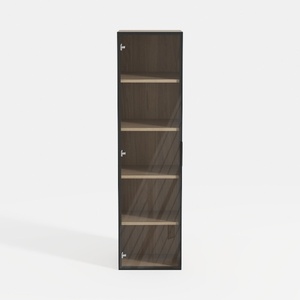
Modern Black Frame Solid Wood Open Shelf Tall Cabinet 3D Model

Modern Dark Green Velvet Tufted L-shaped Sectional Sofa 3D Model
If you're looking to transform your space effortlessly, Homestyler is your go-to online home design platform. With its user-friendly design tool, stunning 3D renderings, and a wealth of DIY video tutorials, you can easily create and visualize your dream home in no time!
Design Now for FREE
































