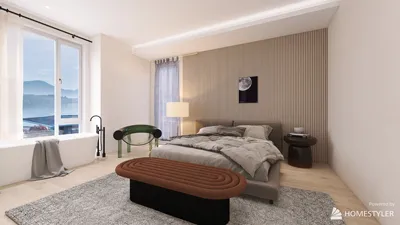


When utilizing CAD software, showcasing dimensions in your designs is vital for both clarity and accuracy. Whether you are crafting a simple room layout or developing a sophisticated architectural blueprint, mastering the display of dimensions can significantly elevate your project outcomes. In this comprehensive guide, we will delve into various techniques to incorporate dimensions in free CAD applications, ensuring your designs convey the necessary information effectively. Let’s get started!
Grasping Dimensions in CAD
Dimensions in CAD play a key role in representing the size, scale, and location of objects within your drawings. Free CAD tools, such as FreeCAD and SketchUp, provide an array of functionalities to facilitate the addition of these vital components. By becoming proficient in these features, you can guarantee that anyone examining your drawings can easily interpret the measurements presented.
Steps to Add Dimensions in Free CAD Applications
To effectively add dimensions to your CAD illustrations, adhere to these straightforward steps: Start by selecting the dimension tool from the toolbar. Next, click the points you want to measure, such as the edges of a room or the height of a building. Lastly, personalize the look of your dimensions through settings for font size, color, and line style. Paying attention to these details will ensure your drawings are both informative and aesthetically pleasing, especially when using design tools like Homestyler.
Common Hurdles and Their Solutions
A frequent issue faced by designers is the overcrowding of drawings due to an overabundance of dimension lines. A useful strategy is to group related dimensions together and utilize leader lines to connect them to pertinent sections of your design. Moreover, consistently review your dimensions for accuracy and clarity. Keep in mind that a well-dimensioned drawing can save valuable time and avert costly errors!
Frequently Asked Questions
Q: Is it possible to hide dimensions in my CAD software? A: Absolutely, the majority of CAD applications allow you to toggle dimension visibility for a sleeker appearance. Q: How can I change existing dimensions? A: Simply select the dimension you wish to modify and use the properties panel to adjust its parameters.
Welcome to Homestyler
Homestyler is your go-to online home design platform! With its intuitive design tool, stunning 3D rendering, and a wealth of inspiring design projects and DIY video tutorials, you can effortlessly create and visualize your dream spaces. Start your design journey today!
立即免费设计
































