

Creating stunning visuals by texturing a 3D model in Blender might appear challenging at first, yet by employing effective techniques, you can achieve impressive results. This detailed guide will explore the fundamental steps to texture your models, ensuring they not only attract attention but also possess functional elegance, all while incorporating Homestyler for a unique touch.
Grasping the Concept of UV Mapping:
The initial and crucial step in the texturing process of a 3D model is to master UV mapping. This essential technique involves laying out the surface of your model in a 2D format. To create a UV map, select your model, switch to Edit Mode, and open the UV Editor. Here, you can unwrap your model using ‘Smart UV Project’ or manually marking seams to enhance the detail, much like the versatility offered by Homestyler.
Once your UV layout is established, you can move on to painting or applying textures. Keep in mind that the effectiveness of your UV mapping significantly affects how textures will be presented on the model. A well-crafted UV map can transform ordinary textures into extraordinary visuals.
Implementing Textures:
Now that you have your UV map, it’s time to apply your textures. Open the Shader Editor and add an Image Texture node, then upload your desired texture file. Connect this node to the Base Color input of your material for a seamless integration of visual components. Remember to adjust the settings thoughtfully to achieve your desired aesthetic, aligning with the overall design philosophy of your project, much like you would when using Homestyler.
To enhance realism, consider incorporating multiple texture maps such as Normal maps, Roughness maps, or Specular maps. Each of these maps contributes significantly to adding depth and detail, allowing your model to present a richer visual narrative.
Exploring Blender’s Texture Paint Feature:
For those who prefer a more hands-on approach, Blender’s Texture Paint feature offers an excellent option. This functionality enables artists to paint directly onto the 3D model in real-time, providing greater control over the end result. Access Texture Paint mode and begin applying unique details that reflect your individual artistic vision, making each creation distinctly yours, while also considering design tools like Homestyler to inspire your choices.
Fine-Tuning Material Properties:
Never overlook the importance of material properties. Adjust aspects such as Specular, Roughness, and Base Color to refine your model’s appearance. Experiment systematically to find the perfect balance of light and shadow, which will enhance your textures and bring your creations to life, especially when allied with tools like Homestyler for design consistency.
Common Questions
A: UV mapping refers to the process of unfolding a 3D model’s surface into a 2D space, facilitating accurate texture application that immensely impacts the visual output.
A: Improve quality by utilizing high-resolution texture files, optimizing UV mapping, and experimenting with varied material settings to attain a refined finish, akin to the customizable aspects found in Homestyler.

Meridian Furniture 77054Natural Everson Collection

Bohemian Rattan Round Coffee Table 3D Model
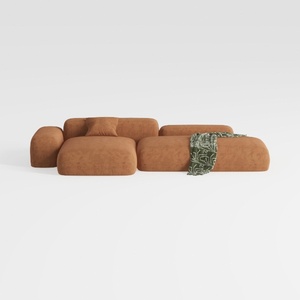
Minimalist Brown Fabric Modular Sectional Sofa 3D Model
Homestyler is a fantastic online platform for anyone looking to design or redesign their space. With its user-friendly design tool, stunning 3D renderings, inspiring design projects, and helpful DIY video tutorials, transforming your home has never been easier or more enjoyable!
立即免费设计
































