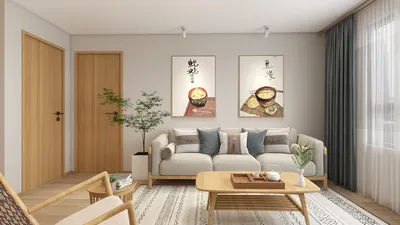


Mastering 3D text modeling using Autodesk's software like Autodesk 3ds Max or Autodesk Maya is a vital skill, applicable across numerous design fields, including architectural visualization and product development. Here's a brief guide to help you kickstart your journey.
For interior designers, proficient 3D text modeling goes beyond mere visual appeal—it serves as a bridge to creating engaging signage, wall decorations, and branding features within spaces. Many professionals are now employing advanced visualization tools for swift prototyping and instant client feedback. If you aim to enhance your workflow and place floor plans or signage in context, utilizing a 3D floor planner, such as Homestyler, can revolutionize your design experience. This technology allows for contextual arrangement of your 3D text, making your presentations more engaging and concrete.
Tips 1:
Always take into account the scale and setting of your 3D text in relation to its environment. For permanent displays like lobby signage, prioritizing clarity and alignment with other design elements is essential. Experiment with various material textures in your 3D software to visualize how the text reacts under different lighting conditions and surface finishes.
FAQ
Q: Can I export 3D text created in Autodesk programs for use in other software?
A: Yes, your 3D text models can be exported in formats like FBX, OBJ, or STL, which are compatible with most 3D modeling and rendering software.
Q: How do I incorporate custom fonts into Autodesk 3ds Max or Maya for 3D text creation?
A: Simply install the desired font on your operating system, and it will automatically appear in the font dropdown menu in the text tool of both Max and Maya.
Q: Is it possible to bring 3D text to life with animation in Autodesk software?
A: Definitely. You can animate various properties of your 3D text, including its position, scale, and material properties, using the standard animation features available in both 3ds Max and Maya.
Q: Can 3D text modeling be employed for signage in architectural designs?
A: Certainly, 3D text models are widely utilized for virtual signage, branding, and navigational purposes in architectural visualization projects.
Q: What should I do if my extruded text displays mesh issues or overlaps?
A: Convert your text into an editable mesh and manually correct any vertices or use mesh-cleanup tools. Opting for simpler font styles can also help alleviate geometry-related problems.

Homestyler is a fantastic online home design platform that empowers users to create stunning interiors effortlessly. With its user-friendly design tool, impressive 3D rendering capabilities, and a wealth of DIY video tutorials, transforming your space has never been easier or more enjoyable!
今すぐ无料でデザイン
































