


Crafting a 3D representation of a stingray is an excellent approach to elevate your digital design abilities. Whether you're an emerging 3D artist or a designer drawing inspiration from nature, mastering this process can significantly enhance your creativity and customization skills. This comprehensive guide will navigate you through each step, from dissecting stingray anatomy to rendering and exporting your final masterpiece. **Step 1: Collect Reference Images and Understand Anatomy** Prior to diving into modeling software, gather high-resolution images of stingrays from various perspectives. Concentrate on details such as body dimensions, tail length, fin shapes, and textures, as grasping these aspects is crucial for creating an accurate, lifelike 3D model. **Step 2: Select Your 3D Modeling Software** Some popular choices include Blender (which is free), Autodesk Maya, and 3ds Max. Each of these offers powerful tools for organic modeling. For those just starting out, Blender is user-friendly and widely endorsed for projects like this. **Step 3: Begin with a Basic Mesh** Start your modeling process using fundamental shapes. A plane or sphere can serve as your initial form, from which you can sculpt the main body and fins through extrusion and subdivision. These tools help you add detail and refine your model's contours, keeping symmetry in mind for anatomical precision. **Step 4: Enhance Details** After establishing the general shape, focus on the stingray's distinctive attributes, including the eyes, spiracles, gill slits, and tail barb. Utilize sculpting brushes to add complexity to curves and creases, ensuring a smooth transition between the fins and body. **Step 5: UV Mapping and Texturing** Unwrap the surface of your model for texturing. UV mapping enables precise application of textures. Use real photographs or hand-painted images to achieve authentic skin patterns like speckles and subtle gradients. This stage enhances the realism of your 3D stingray. **Step 6: Rigging for Animation (Optional)** If you're interested in animating your stingray, integrate a skeleton (rig) and establish movement controls, especially to replicate the unique undulating motion of the fins. Most 3D software contains basic rigging tools suitable for simple animations. **Step 7: Rendering and Exporting** Choose lighting that reflects underwater atmospheres—soft blue tones with caustic patterns will create a realistic effect. Set your camera angles for an impactful presentation. Finally, export your 3D model in formats like OBJ or FBX, which are ideal for use in gaming, virtual reality, or educational settings. As a designer, I advocate for harnessing digital solutions to streamline this creative journey. For example, utilizing a Homestyler software can help you visualize your completed stingray within real-world environments, providing an interactive aspect to your portfolio and enhancing its dynamism.
Tips 1:
Reference high-quality underwater photography to capture the authentic color patterns and textures of stingrays. This will assist you in replicating the subtleties of light refraction and skin details throughout painting or rendering.
FAQ
Q: What is the easiest 3D modeling software for beginners?
A: Blender is highly recommended due to its intuitive interface and rich library of community tutorials, which makes it beginner-friendly for organic modeling tasks such as creating stingrays.
Q: How can I texture a 3D stingray realistically?
A: Utilize UV mapping to implement photo references or hand-painted textures, concentrating on gradients and fine speckles that resemble authentic stingray skin.
Q: Is it possible to animate the stingray model for a swimming effect?
A: Certainly! With basic rigging, you can simulate fin undulation and realistic tail movements using keyframe animation present in most 3D software.
Q: What file type should I use to export my 3D stingray model?
A: OBJ and FBX are standard file formats that are compatible with most rendering, animation, and VR applications.
Q: Are there online tools to place my 3D stingray in a virtual room or exhibit?
A: Absolutely! 3D planners and VR visualization platforms enable you to seamlessly integrate your model into realistic settings for presentations or educational visuals.

Modern Houndstooth Fabric Black Metal Wood Top End Side Table 3D Model
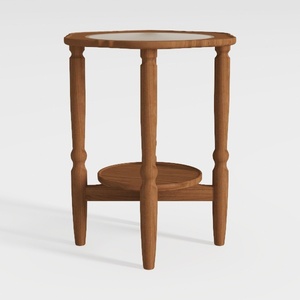

Minimalist Solid Wood Marble Top Round Side Table 3D Model
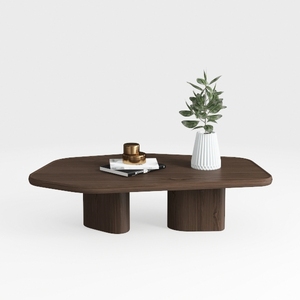
Minimalist Walnut Solid Wood Irregular Coffee Table 3D Model
Unlock your creativity with Homestyler, the ultimate online home design platform! Utilize its user-friendly design tools, explore stunning 3D renderings, and dive into inspiring design projects. Plus, enhance your skills with easy-to-follow DIY video tutorials. Transform your vision into reality effortlessly!
تصميم الآن مجانا
































