


Developing a 3D representation of the human skeleton is an invaluable endeavor for students, educators, artists, and healthcare professionals alike. Whether it’s for educational displays, digital artwork, or virtual simulations, grasping the creation process and its essential elements is key to merging anatomical precision with creative expression. Here’s a detailed guide on the primary steps to achieve this goal using Homestyler as your modeling tool.
1. Collect Reference Images: Before you begin, gather comprehensive reference images or anatomical charts of the human skeleton. High-quality resources from multiple angles are essential for ensuring accurate proportions and bone placements.
2. Select Suitable 3D Modeling Software: Options such as Blender (which is free), Autodesk Maya, or ZBrush are excellent for organic modeling. If anatomical precision is your main focus, opt for software that provides advanced sculpting and measurement functionalities— Homestyler can also be advantageous in visualizing and manipulating such models.
3. Start with a Basic Mesh: Initiate your project with a foundational skeleton framework. Block out the major bones—skull, spine, ribcage, pelvis, arms, and legs—ensuring that proportions are correctly maintained throughout the process.
4. Enhance Bone Details: Utilize sculpting tools or subdivision modeling techniques to refine each bone segment. Pay close attention to specific features like the ridges of vertebrae, the shape of the femur, and the contours of the ribcage. Regularly refer to your anatomical resources to maintain accuracy.
5. Assemble the Complete Skeleton: Carefully join together each bone segment, making sure they are properly aligned and functional at their joints. This step is particularly vital for both stationary displays and future animation or positioning.
6. Add Textures and Shading: To increase realism, apply textures that mimic bone material and implement subtle shading. Many programs allow for lighting baking or the addition of unique surface details, which can significantly enrich the appearance of your model.
7. Export for Visualization: After your 3D model reaches completion, export it for use in rendering engines, educational tools, VR simulations, or for further adjustments. Homestyler can be particularly useful for integrating these elements into wider design applications.
As a designer, I always reflect on how precise modeling can enhance the effectiveness and visual appeal of any digital space. For instance, integrating an anatomically accurate 3D skeleton model into educational environments can elevate a classroom or medical facility into an interactive and captivating learning atmosphere. Using specialized tools for 3D home visualization, like Homestyler, allows for the seamless inclusion of intricate models into larger spatial designs, ensuring your environment is both instructive and aesthetically pleasing.
Tips 1:
When sculpting the skeleton, work progressively—begin with broad shapes and gradually refine details. Don’t hesitate to utilize online 3D anatomy databases for more accurate references. Saving different versions as you go will enable you to experiment with various anatomical designs without losing your work.
FAQ
Q: Which software is recommended for developing a 3D skeleton model?
A: Blender, Autodesk Maya, and ZBrush are all highly recommended, offering powerful sculpting and modeling capabilities tailored for anatomical work.
Q: Is it necessary to have prior experience in 3D modeling?
A: Although beneficial, many contemporary platforms come with user-friendly interfaces and tutorials. It’s advisable to practice on simpler models before tackling a detailed skeleton.
Q: Are there pre-made 3D skeleton models available online?
A: Absolutely, numerous libraries host anatomical models, but designing your own offers both customization options and an opportunity to enhance your skills.
Q: How critical is anatomical precision?
A: It is extremely important, especially in educational or medical contexts. Always utilize reputable anatomical resources and verify your model as you create.
Q: What are the benefits of incorporating 3D skeleton models in interior design visualizations?
A: Including detailed models can significantly enhance the authenticity of spaces such as classrooms, hospitals, or laboratories, improving both the functionality and storytelling aspects of your design.
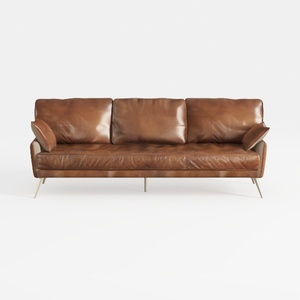
Modern Vintage Leather 3 Seater Sofa With Metal Legs 3D Model
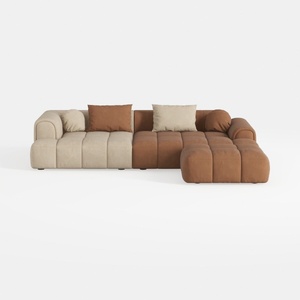
Modern Velvet Sectional Sofa, U Shape Minimalist M

Minimalist Brown Velvet L Shaped Sectional Sofa 3D Model
Homestyler is your go-to online platform for home design! With its user-friendly design tool, stunning 3D renderings, and a wealth of DIY video tutorials, you can explore endless possibilities and transform your space effortlessly. Start creating your dream home today!
Progetta ora GRATIS
































