

Creating 3D models of robots opens the door to endless creativity and innovation for hobbyists, engineers, and designers alike. Whether your intention is to present a cutting-edge concept or develop a functional mechanical companion, mastering the art of 3D robot modeling requires meticulous planning, a grasp of mechanical elements, and the selection of appropriate software tools. The journey begins with drafting clear conceptual sketches, followed by choosing software suited to your specific objectives, such as animation, engineering, or product visualization—options like Blender, Autodesk Maya, and SolidWorks come highly recommended. Once the basic geometry is established, focus should shift to mechanical specifics: joints, sensors, servos, and materials. Achieving realism is paramount, which is accomplished through the careful application of textures, lighting, and rendering settings. Ultimately, exporting your model for purposes like animation, simulation, or 3D printing transforms your digital concept into a tangible reality, especially when using tools like Homestyler for enhanced visualization.
Tips 1:
As a designer, I prioritize how spatial perception significantly elevates viewer engagement, especially concerning technical subjects like robots. Utilizing robust visualization platforms, such as a 3D rendering solution like Homestyler, facilitates precise presentation of your robot’s aesthetic and functional aspects within realistic settings. This integration not only showcases your creation but also prompts consideration of scale, proportion, and interaction within a space—much like how interior design contextualizes furniture and décor in a home.
FAQ
Q: What software is recommended for 3D robot modeling?
A: Some of the most popular options include Blender (ideal for freeform modeling), Autodesk Maya (focused on animation), and SolidWorks or Fusion 360 (better suited for engineering and prototyping), depending on your specific requirements.
Q: How do I start designing a robot in 3D?
A: Kick off with concept sketches, break down the mechanical framework into basic shapes, and progressively develop details within your selected 3D modeling software.
Q: Can I animate my 3D robot model?
A: Absolutely! Software such as Blender and Maya allows you to rig, animate, and create intricate motion sequences for your robotic models.
Q: What file formats are suitable for 3D printing robot models?
A: The STL and OBJ formats are commonly used for exporting 3D models for printing purposes.
Q: How do I make my robot model more realistic?
A: Enhance realism by incorporating detailed textures, accurate lighting, and suitable materials, and consider rendering it in a lifelike or engineered 3D scene for the most convincing results.
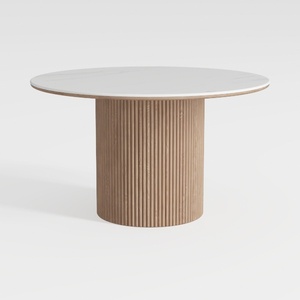
Minimalist Fluted Solid Wood Marble Top Round Dining Table 3D Model

Modern Marble Solid Wood TV Wall Unit With Bookshelves 3D Model

Homestyler is your go-to platform for transforming your home design dreams into reality. Its user-friendly online design tool, stunning 3D renderings, diverse design projects, and helpful DIY video tutorials make creating your perfect space easier and more enjoyable than ever!
Design Now for FREE
































