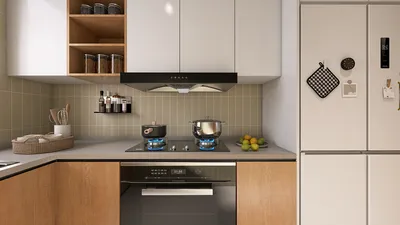


3D rendering walkthroughs have become indispensable for interior designers, architects, and marketers alike. They provide an immersive experience that allows viewers to engage with the design from multiple perspectives. In this guide, we will delve into the essential elements necessary for crafting an impactful 3D rendering walkthrough, which can significantly improve your design presentations and interactions with clients.
Grasping the Essentials of 3D Rendering
Before embarking on the creation of a walkthrough, it is crucial to understand the fundamental principles of 3D rendering. This process entails producing a two-dimensional image derived from a three-dimensional model, often incorporating textures, lighting, and intricate details to yield either realistic or stylized visual representations.
Selecting the Ideal Software for Your Requirements
The market offers a wide variety of software for 3D rendering, each boasting unique features and advantages. Notable selections include:
Preparing Your 3D Model
To create a successful walkthrough, ensuring your 3D model is meticulously prepared is paramount. Here are tips to ready your model:
Incorporating Authentic Lighting and Shadows
Lighting is a pivotal aspect of 3D rendering. The type of lighting you choose can dramatically influence the ambiance and realism of your walkthroughs:
Developing the Walkthrough Animation
After finalizing your model, the next step is to produce the actual walkthrough. This involves configuring camera paths and keyframes that guide the movement through your virtual space. Here are steps to assist you:
Rendering Your Walkthrough
While rendering can be a lengthy process, it is critical for achieving exceptional quality. Keep these tips in mind:
Effectively Presenting Your Walkthrough to Clients
Once rendering is complete, presenting your walkthrough compellingly is vital. Here are some techniques to consider:
In Summary
By mastering the art of 3D rendering walkthroughs, you can dramatically enhance your design presentations. A solid understanding of the basics, choosing the right software, and implementing best practices in lighting and animation will allow you to create breathtaking visuals that engage your audience. Consider tools like Homestyler for easy-to-use design solutions.
Frequently Asked Questions
Q: What software is essential for 3D rendering? A: Among popular choices are SketchUp, Autodesk 3ds Max, and Blender.
Q: What is the typical timeframe to render a walkthrough? A: Rendering durations vary depending on model complexity and chosen rendering settings.
Q: Can I generate a walkthrough using low-end hardware? A: It is feasible, although upgrading to better specifications can enhance performance and reduce rendering times.
Welcome to the No.1 Home Design Software
지금 무료로 디자인하세요
































