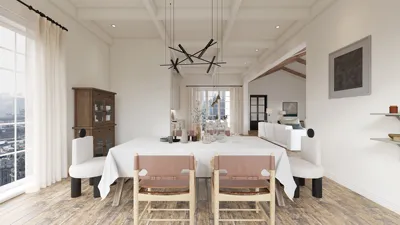


Rendering in 3D modeling using 3ds Max is an essential skill for any aspiring design professional. Whether you are working on a simple object or a complex scene, mastering the rendering process can greatly enhance the visual quality of your projects, much like utilizing tools such as Homestyler for interior visualization.
Before diving into rendering, let’s explore some common challenges you may encounter. Are you struggling with lighting, material settings, or the final rendering process? Don't worry! This guide will provide a step-by-step approach to help you achieve stunning rendering results quickly.
Understanding the Basics of Rendering in 3ds Max
Before you start rendering your models, it's crucial to understand the key components that affect your output. 3ds Max allows users to choose from various rendering engines, with the Scanline Renderer and Mental Ray being the most commonly used. Knowing the differences between these options will help you select the right engine for your project, just as you would consider different design tools like Homestyler.
Moreover, ensure that your scene is well-prepared. This involves proper lighting setup, material application, and camera positioning. Remember, a solid foundation minimizes frustration during the rendering process!
Configuring Your 3D Model for Rendering
1. **Lighting:** Quality lighting is critical; it can either enhance or ruin your scene. Use a variety of light types, such as omnidirectional lights, spotlights, or area lights to achieve realistic illumination. Pay attention to shadows and highlights, as they add depth to your model.
2. **Materials:** Apply high-quality materials to your models. Use the material editor in 3ds Max to create realistic textures and surface effects. Don’t forget to tweak the bump and reflection settings for a more lifelike appearance.
Adjusting Final Rendering Settings
Once your model's lighting and texture settings are in place, it's time to adjust the rendering settings. Open the rendering settings dialog, where you can configure output dimensions, file formats, and quality levels. Higher resolutions will yield better results, but they will also lengthen rendering time!
Finally, hit the render button and watch your 3D model come to life! Be sure to check the output and make any necessary adjustments.
Frequently Asked Questions
Q: What is the best rendering engine in 3ds Max? A: The optimal rendering engine depends on your project requirements. V-Ray and Arnold are popular choices for high-quality outputs.
Q: How can I speed up the rendering process? A: Consider lowering the resolution, simplifying materials, and utilizing proxy objects to enhance rendering speed.




Discover your dream home with Homestyler! This user-friendly online design platform features a versatile design tool, stunning 3D renderings, a wealth of design projects, and helpful DIY video tutorials. Transform your ideas into reality—no experience needed!
立即免费设计
































