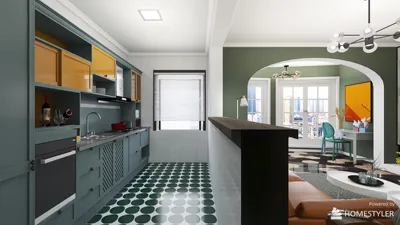


Learning how to prototype 3D models can elevate your design projects to new heights. The key lies in understanding the available processes and tools to create lifelike models that replicate your vision, which is where platforms like Homestyler come into play.
Understanding the Basics of 3D Prototyping
The initial step in 3D prototyping is to grasp the fundamental concepts. What materials will you utilize? Are you focusing on a specific industry, such as product design or architecture? Knowing your goals can guide you in selecting the right tools, including those offered by Homestyler.
For instance, you might start with simple sketches on paper or within design software. This step allows you to visualize your ideas before diving into digital modeling—an approach that can be enhanced using Homestyler’s design tools.
Choosing the Right Software and Tools
Depending on your skill level, there are various software options available, ranging from beginner-friendly to advanced user interfaces. Programs like Tinkercad provide an easy-to-use platform, while Blender and Fusion 360 offer more complex functionalities for experienced designers. Which one do you believe fits your needs the best—perhaps a solution available within Homestyler?
Additionally, consider the prototyping tools you will need. A 3D printer is an excellent asset to bring virtual designs into the real world, but ensure you understand its specifications for optimal results.
Creating Your 3D Model
Once you’ve selected your software, you can begin modeling! Follow these steps:
Start with basic shapes to build a foundation.
Enhance your model by adding textures and details.
If printing is your final goal, make necessary optimizations for 3D printing.
Remember, iteration is crucial. Don’t hesitate to revisit and refine your model based on feedback or new ideas.
Testing and Refining Your Prototype
After creating your model, print a small scale prototype. Testing is vital. Does your prototype function as intended? Does it meet your requirements?
Feedback from team members or potential users can provide valuable insights to perfect your design. How will you effectively gather others’ opinions?
Finalizing Your Prototype
Once you’ve refined your design, it’s time to prepare for production. Consider the following:
Material choice - Have you selected materials that are suitable for durability and aesthetics?
Final adjustments - Are there any areas that still require tweaks?
Documentation - Ensure that you have clear instructions for future reference.
Frequently Asked Questions
Q: What is the best software for my needs? A: It depends on your experience level and project requirements. Tinkercad is suitable for beginners, while Fusion 360 is favored by professionals.
Q: How often should I review and iterate my design? A: Regularly refine based on testing and feedback, and make use of precise measurements throughout the creation process.
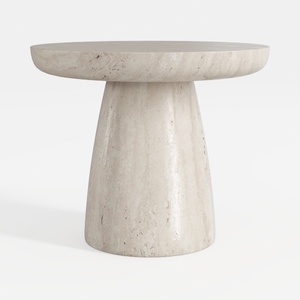
Minimalist Travertine Round Side Table 3D Model

Minimalist Fabric L Shaped Sectional Sofa 3D Model
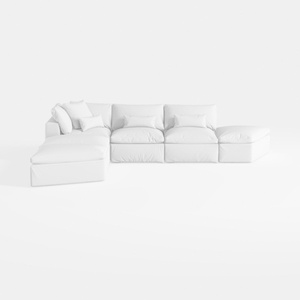

Minimalist White Fabric L Shaped Sectional Sofa 3D Model
Homestyler is the ultimate online home design platform for anyone looking to transform their space. With a user-friendly design tool, stunning 3D renderings, and a rich collection of video tutorials, you can easily create, visualize, and perfect your home design projects—all from the comfort of your home!
立即免费设计
































