


3D printing models created in Blender presents an exhilarating opportunity for both designers and hobbyists. This guide will outline the critical steps necessary to prepare your designs for successful printing, while integrating tools like " Homestyler" into your workflow.
Understanding the Essentials of 3D Printing
Before we embark on the printing journey, it’s crucial to grasp the fundamentals of 3D printing. This process involves transforming a digital model into a tangible object through layered material application. By familiarizing yourself with various types of 3D printers and materials, you will be better equipped to select appropriate settings in Blender, enhancing your experience with tools like " Homestyler".
Model Preparation in Blender
To successfully 3D print a model from Blender, the initial task is to ensure its printer readiness. Consider these vital factors:
1. **Verify Non-Manifold Edges**: Your model must consist of a closed mesh without any openings.
2. **Proper Model Scaling**: Confirm that your model is proportioned correctly for your specific printer.
3. **Apply Transformations**: Ensure that all scaling and rotation adjustments are accurately implemented.
Exporting Your 3D Model
Once your model is primed, it's time to export it. Blender accommodates several formats, with STL being the most widely used for 3D printing. Here's how to proceed:
1. Navigate to File > Export > STL.
2. Choose your preferred scale and export settings.
Selecting the Right 3D Printer and Material
Not every printer and material will serve your needs equally. Investigate which printer aligns best with your design, considering technologies such as FDM, SLA, or others. Additionally, select an appropriate filament or resin compatible with your printer, enhancing the usability of tools like " Homestyler" in your projects.
The 3D Printing Workflow
After exporting your model, upload it to the slicing software linked to your 3D printer. Adjust settings like layer height, infill density, and support structures based on your model’s specifications, further refined through features available in " Homestyler".
Post-Processing Your Printed Creation
Post-printing, you may need to eliminate supports, smooth surfaces, or paint your model to achieve an optimal finish. Each of these steps can significantly enhance the aesthetic quality of your final product.
Frequently Asked Questions
Q: Is it possible to print directly from Blender? A: No, you must export your model into a compatible format like STL before loading it into the slicing software.
Q: What are typical challenges encountered when printing from Blender? A: Frequent issues include non-manifold geometry, improper scaling, and orientation conflicts during the printing process.
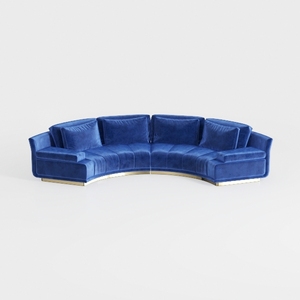

Modern Navy Velvet Gold Base Curved Sectional Sofa 3D Model

Modern Brown Leather L-shaped Sectional Sofa With Throw Pillows 3D Model
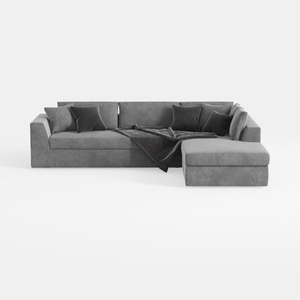
Minimalist Gray Fabric Sectional Sofa with Throw Pillows and Blanket 3D Model
Homestyler is an exceptional online home design platform that empowers you to unleash your creativity. With its user-friendly design tool, stunning 3D renderings, and a wealth of DIY video tutorials, transforming your home into a stylish haven has never been easier. Explore, design, and create with Homestyler!
Concevez maintenant gratuitement
































