


Crafting a 3D model of a pillow may appear challenging at first, but the end result is incredibly gratifying. A meticulously designed pillow model adds a level of realism to your interior design projects. Let’s explore the process of 3D modeling a pillow in detail, step by step, and see how tools like Homestyler can enhance this experience.
Beginning with Basic Shapes
The first phase in creating a 3D pillow model involves using fundamental shapes. Most 3D modeling applications, including Homestyler, allow you to establish a cube or rectangle as your starting point. Modify its dimensions to form the basic outline of your pillow. Consider what measurements would best suit your design vision.
Subsequently, apply a 'subdivision surface' to soften the edges, giving your model a more realistic pillow-like contour. Do you envision your pillows as plush or more flat? Tailor the height to reflect your preference!
Incorporating Fabric Texture
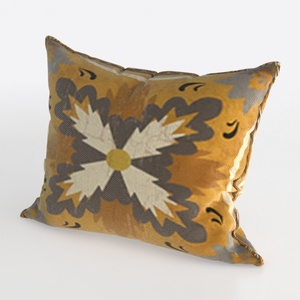
Next, it’s crucial to enhance your pillow’s realism by introducing texture. Use texture maps that replicate various fabric materials. Choosing fabrics that complement your overall design theme is essential. Are you inclined towards velvet, cotton, or perhaps linen?
Ensure that the texture is mapped accurately onto your pillow. Modify the UV maps to align perfectly with the shape. Remember, an expertly textured pillow significantly enriches your 3D environment.
Final Touches and Lighting Adjustments
Once you’re happy with the pillow's shape and texture, add finer details such as stitching or seams. These tiny elements contribute greatly to your model’s realism. How would you like the stitching to be showcased? Will it be bold or more subtle?
Lastly, tweak the lighting in your 3D environment. Proper illumination can emphasize the colors and textures of your pillow model, allowing it to truly shine. Experiment with different lighting sources to determine the best effect!
Frequently Asked Questions
Q: Which software is preferred for 3D pillow modeling? A: Common recommendations include Blender, 3ds Max, and Homestyler. Your choice should align with your specific preferences and level of expertise.
Q: What techniques can enhance the realism of my pillow model? A: Pay close attention to elements such as textures, lighting, and accurate shapes. Adding variations like wrinkles can further increase realism.
With these foundational steps in mind, it’s time to embark on your modeling journey! With dedication, you’ll be capable of designing exquisite pillow options that will enhance the beauty of your interior spaces.



Homestyler is an outstanding online home design platform that's perfect for anyone looking to create stunning interiors. With its user-friendly design tool, realistic 3D rendering, a wealth of inspiring design projects, and helpful video tutorials, you can effortlessly bring your home vision to life!
立即免费设计
































