

Building a 3D person model is an exciting endeavor that merges artistic expression with technical expertise and imagination. Regardless of whether you are a novice charmed by the world of digital characters or a seasoned designer aiming to hone your craft, grasping the fundamental steps in this process is essential. This journey usually involves stages such as concept art creation, selecting suitable software, mesh sculpting, detail refinement through texturing, and optimization for diverse applications like animation, gaming, or visualization. Let’s outline the entire workflow from concept inception to the final rendered image, incorporating tools like Homestyler for enhanced visual planning.
Step 1: Concept Development and Reference Collection
Before embarking on your modeling venture, gather clear references—this can include real-life photographs or character design sketches. This practice guarantees anatomical precision and aids in steering your creative process effectively.
Step 2: Selecting 3D Modeling Software
Popular choices for 3D modeling include Blender (a free, capable program), Autodesk Maya (the industry benchmark), and ZBrush (exceptional for sculpting tasks). Your selection should align with your budget and the specific requirements of your project.
Step 3: Basic Mesh Creation
Begin with basic shapes such as cubes and spheres to outline the head, torso, arms, and legs. Maintain symmetry during this phase to ensure the model's balance.
Step 4: Sculpting and Detail Enhancement
Employ sculpting tools in your software to define muscle structure, facial features, and further intricate details. Subdividing the mesh—adding more polygons—will yield smoother outcomes.
Step 5: Retopology
Streamline the model for animated use by tidying up and lowering the polygon count; this process not only makes your mesh more manageable but also prepares it for rigging or rendering effectively.
Step 6: UV Mapping and Texturing
Unwrap your digital model with UV mapping. Next, apply lifelike textures to skin, clothing, and accessories using tools such as Substance Painter or directly through your chosen 3D software.
Step 7: Rigging and Animation (Optional)
Incorporate a digital skeleton (rig) into your person model for posing or animation—this step is vital for applications in games or cinematic projects.
Step 8: Rendering and File Exportation
Configure the lighting, camera setups, and backgrounds. Afterwards, export your final renders or 3D assets for sharing or additional use cases.
As a designer, I constantly emphasize planning the spatial arrangement of every component within the model, considering how the character might interact within either a real or digital setting. If you’re looking to integrate your 3D person model into an interior scene or experiment with spatial layouts, utilizing tools like Homestyler can provide intuitive methods for visualizing characters in realistic environments, thereby integrating character modeling with spatial design smoothly.
Tip 1:
Always save incremental versions of your project, allowing you to explore changes freely without jeopardizing your progress. The learning curve may be steep, but with perseverance, you'll transform your ideas into breathtaking digital representations.
Frequently Asked Questions
Q: Which software is optimal for 3D person modeling?
A: Blender and ZBrush are favored for their sculpting capabilities, while Maya is the standard in the industry for comprehensive character development pipelines.
Q: Is a powerful computer necessary for 3D modeling?
A: Although high-performance computers enhance the experience, many entry-level projects can be executed smoothly on mid-range systems; simply optimizing settings can alleviate hardware demands.
Q: How can I start learning 3D modeling for free?
A: Numerous online resources, YouTube tutorials, and free courses like Blender’s official curriculum serve as excellent starting points.
Q: Is drawing skill necessary for 3D character modeling?
A: While not strictly required, having basic drawing skills and a grasp of anatomy can significantly aid in achieving proportional accuracy and design finesse.
Q: Can 3D models be converted into physical printed figures?
A: Absolutely! By exporting your models as STL or OBJ files and utilizing a 3D printer, you can create tangible versions—just ensure your model is 'watertight' for successful 3D printing.


Minimalist Black Stone Coffee Table Unique Irregular Shape 3D Model
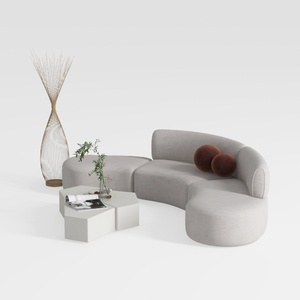
Minimalist Fabric Curved Sectional Sofa 3D Model

Minimalist Solid Oak Fluted TV Stand with Black Metal Legs 3D Model
Homestyler is your go-to platform for transforming home design dreams into reality! With its user-friendly online design tool, stunning 3D renderings, diverse design projects, and helpful DIY video tutorials, you’ll find everything you need to create beautiful spaces effortlessly.
立即免费设计
































