


Designing a 3D model might seem daunting, particularly for those who are just starting out. However, there's no need for concern! Whether your goal is to craft a compact product model or to design a more expansive area, I'm here to guide you meticulously through the process. This guide aims to provide you with thorough insights into 3D modeling using Google's tools while ensuring top-notch quality and user experience.
To embark on your 3D modeling journey, selecting the right platform is crucial. Google presents a variety of options such as Google SketchUp and Google Poly, each tailored for different aspects of 3D design. But how do you choose the perfect one for your needs? Let's explore!
Selecting the Appropriate Tool for 3D Design
Google SketchUp and Google Poly each showcase distinctive features intended for unique applications in the realm of 3D modeling.
1. **Google SketchUp**: This tool is particularly well-suited for individuals requiring in-depth architectural designs or product visualizations. SketchUp boasts an extensive range of tools alongside a user-friendly interface, making it a preferred choice for both seasoned designers and beginners.
2. **Google Poly**: This service was excellent for quick, straightforward models and sharing creations, particularly appealing to the VR community. However, please note that as of mid-2021, Google Poly has been discontinued, so users seeking similar functionalities will need to explore alternative platforms.
Getting Started with Google SketchUp
To commence crafting your model via SketchUp, adhere to these steps:
1. Sign up for an account on the SketchUp website to either use its online version or download the desktop application, which caters to both Windows and Mac users.
2. Take time to get acquainted with the available toolset. The toolbar features user-friendly options for drawing shapes, applying textures, and repositioning objects. Understanding each function thoroughly will significantly boost your productivity and creative output.
Designing Your 3D Model
When you feel ready to start designing:
1. Begin by using the 'Rectangle' or 'Line' tool to outline the foundational shapes of your project. Precision is vital! The measurements tool will help you maintain accuracy in dimensions.
2. Employ the 'Push/Pull' tool to give your shapes depth, effectively converting them into 3D forms. This intuitive tool enables you to manipulate your geometry in an engaging manner.
3. Experiment with various textures and colors from the 'Materials' library to enliven your model! Additionally, using custom textures can provide your design with a distinctive touch.
Exporting and Sharing Your 3D Model
Once you've finished your model and are ready to share it with the world:
1. Save your creation by selecting 'File', then 'Export'. Opt for your desired file format, such as STL or OBJ, which is suitable for 3D printing or online sharing, ensuring it meets your specific requirements.
2. Distribute your work to friends or publish it on social media using a quick link. Don't hesitate to seek their feedback! Engaging with your audience can offer valuable insights to enhance your future designs.
Conclusion
Creating a 3D model with Google isn’t just limited to professional designers; it's an amazing opportunity for anyone to showcase their creativity! The key is to begin with simple projects and gradually refine your skills as you familiarize yourself with the available tools. With practice, you'll soon be producing remarkable 3D models. Remember, each project contributes to your experience and could lead to innovative design insights.
FAQ
Q: Is it possible to use Google SketchUp for free?
A: Absolutely! Google SketchUp provides a free version equipped with basic tools that are beginner-friendly, allowing users to grasp essential concepts before advancing to more sophisticated features.
Q: In which file formats can I export my 3D model?
A: You can export your models in a variety of formats including STL, OBJ, and others, depending on your specific needs, to facilitate smooth integration into different projects or applications. Incorporating tools like Homestyler can also enhance your modeling experience.


Modern Black Marble Top Metal Base Nesting Coffee Table 3D Model
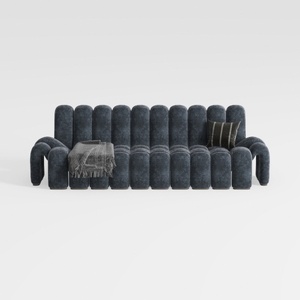
Modern Dark Blue Fabric Channel Tufted Oversized Sofa 3D Model
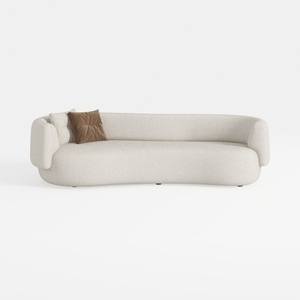
Minimalist Boucle Curved Living Room Sofa 3D Model
Homestyler is your go-to online platform for hassle-free home design! With its easy-to-use design tool, stunning 3D renderings, and a wealth of DIY video tutorials, you can effortlessly create your dream space, whether you're a beginner or an experienced designer. Give it a try today!
Desain sekarang Gratis
































